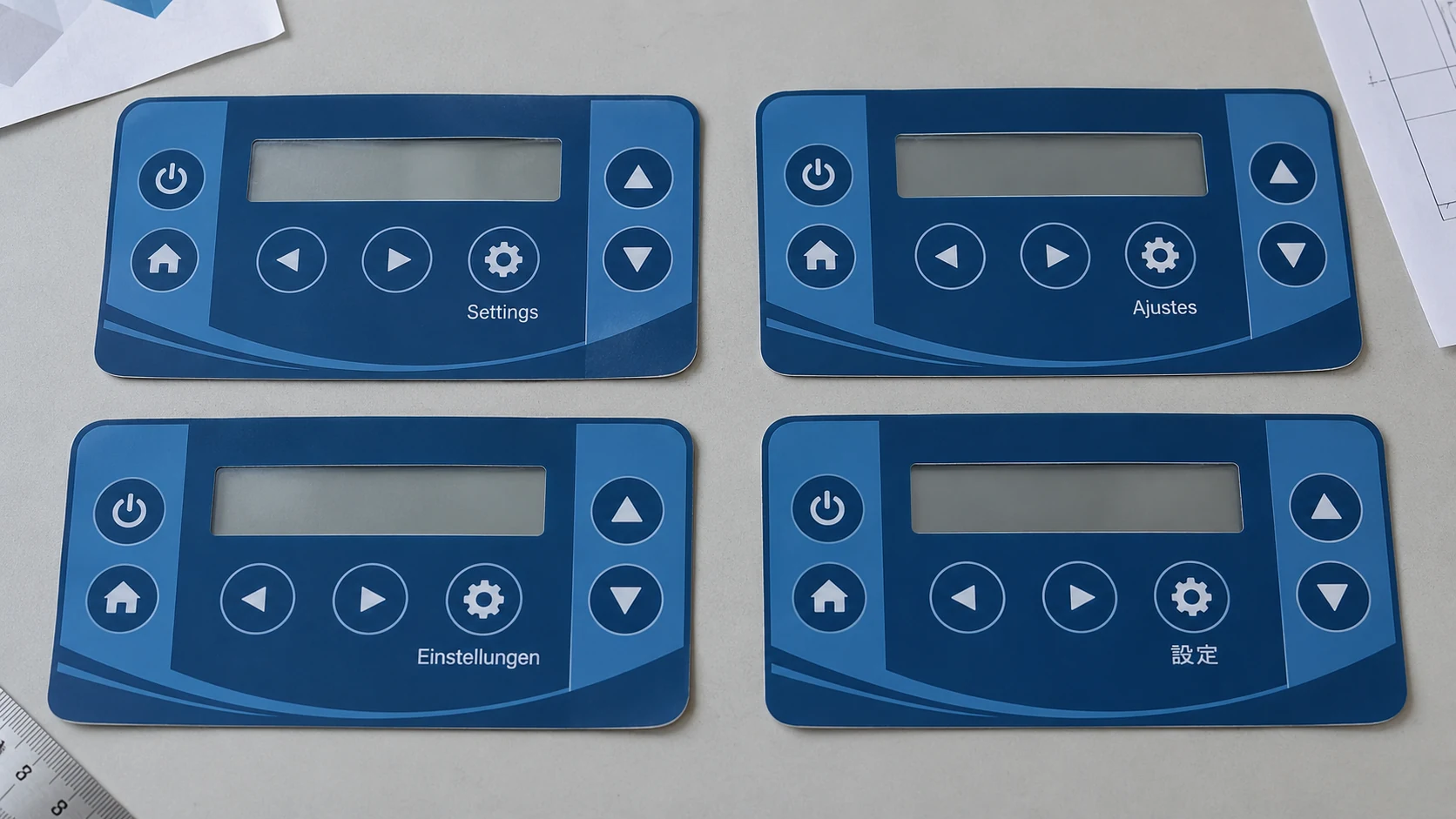
Good graphic overlay text and symbol design starts with the operating task, not the smallest type that fits. Review every language at actual size, check what users can identify under the intended viewing conditions, and release each variant against a controlled artwork record. Printing a label successfully and making it understandable on installed equipment are separate approval questions.
This guide covers the printed front-facing layer. Suppliers use “membrane panel” differently, so state whether the order includes an overlay only, a complete membrane switch, or an assembly with mechanical components. Approving printed graphics does not approve electrical operation or key feel.
- Define Users, Viewing Distance and Lighting
- Review Text and Symbols at Actual Size
- Plan Multilingual Control Panel Graphics Before Layout Freeze
- Illustrative Character Overflow Comparison
- Choose Symbols by Function, Not Appearance
- Check Fine Lines, Reversed Text and Contrast
- Keep Language Variants under Revision Control
- Panel Language-Version Matrix
- Terminology Approval Record
- Approve Layouts with the Equipment Team
- Actual-Size Legibility Checklist
- Review Your Panel Graphics
Define Users, Viewing Distance and Lighting
Before arranging labels, describe who will operate the equipment, which languages they read, and where they stand or sit. Separate routine operating information from service-only information. Identify the longest required viewing distance, oblique viewing positions, lighting conditions, and possible reflections from the installed panel.
For gloved operation, review a task sequence rather than an isolated button. Ask users to locate a control, reach toward it, and check the related indicator. Observe whether the hand hides essential wording or makes a neighboring control appear to be the intended target. Validate actuation force and feedback separately on a functional assembly.
Review Text and Symbols at Actual Size
Make a 1:1 paper mock-up with a dimensioned scale reference. Print without “fit to page,” measure the reference, and place the mock-up at the equipment’s intended height and angle. A screen zoom setting of 100% is not a substitute for checking physical dimensions.
Evaluate visible character height, spacing, stroke shape, and distinguishing details—not just the font’s point size. Include easily confused characters used in the design, such as I, l, and 1, or O and 0. Inspect punctuation, decimal separators, units, and marks above or below letters.
Ask representative users to identify controls without prompting. Record hesitation, misreading, and label-to-control confusion. Magnification is useful for inspecting print defects, but it does not demonstrate ordinary viewing legibility.
A paper mock-up screens layout problems. Assess printed panel legibility on a representative printed sample made with the proposed film, ink, finish, and background. Installed-equipment review adds bezel obstruction, reflections, and illuminated states.
Plan Multilingual Control Panel Graphics Before Layout Freeze
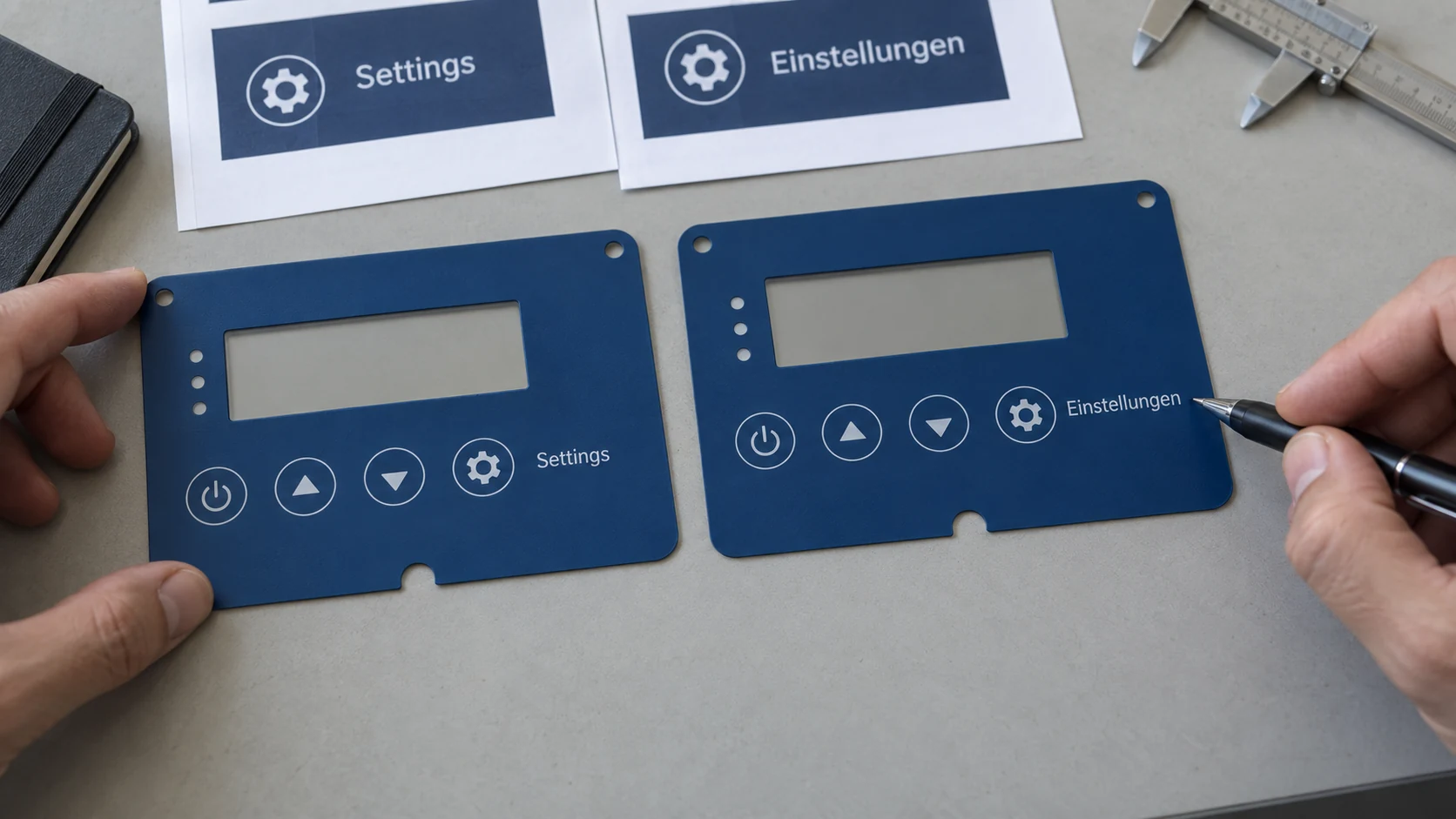
Collect target-language wording before filling every available space with the source language. Translations can change width, line height, and acceptable line breaks. Character count alone cannot establish whether text fits a physical label area.
Give translators a function description and the surrounding controls. Maintain one approved term for each function across the overlay, displayed messages, and operating instructions. Do not shorten safety-related wording or invent abbreviations merely to preserve the original layout.
Illustrative Character Overflow Comparison
Illustrative example—not approved equipment wording or a print test. Assume a symbolic box with ten equal character positions. This deliberately simplified model illustrates overflow; it is not a physical-width calculation or a recommended label capacity.
| Version | Illustrative wording | Character count | Result in the symbolic box |
|---|---|---|---|
| English source | Settings | 8 | Fits; two positions remain |
| German translation | Einstellungen | 13 | Overflows by three positions |
| Clipping failure | Einstellun | 10 displayed | The ending “gen” is lost; reject the truncation |
In production artwork, compare the complete strings in the selected typeface, weight, and size. First consider a wider text zone, an approved line break, or a language-specific arrangement. Use a shorter term only after linguistic and functional approval. Reassess legibility before reducing type size or tightening spacing.
Check the densest characters and tallest marks as well as the longest string. For right-to-left variants, review text direction and mixed numbers explicitly; do not automatically mirror mechanical locations or function-dependent arrows.
Choose Symbols by Function, Not Appearance
A recognizable-looking icon is not enough: the user must understand the function it identifies. Ask users what they expect a control to do before explaining its symbol. Add concise wording where interpretation remains uncertain and the applicable labeling requirements permit it.
The ISO 7000 / IEC 60417 equipment-symbol collection is a source of registered symbols for equipment. Verify the selected symbol’s meaning and application, not merely its resemblance to a familiar icon. Have the equipment owner confirm applicable warning, safety, and regulatory-symbol requirements for the intended product and market.
Record the symbol identifier or approved custom reference, artwork revision, orientation, associated function, and approval owner. Do not stylize, mirror, or simplify a controlled symbol without an authorized review of its meaning and applicable requirements.
Check Fine Lines, Reversed Text and Contrast
Ask the printer to assess the narrowest strokes and smallest open gaps in the actual artwork. Distinguish positive printed lettering, knockout lettering formed by openings in a background, and separately printed light-colored lettering. They are not interchangeable production features.
On representative samples, look for missing strokes, closed letter openings, bridged gaps, ragged edges, and visible misregistration. State the film, print process, ink construction, and finish used for the review. A supplier’s minimum printable feature is not a universal membrane panel font size or an installed-equipment legibility limit.
Evaluate contrast from the viewing side with the intended background and surface finish. For illuminated graphics, check the required visible and hidden states under relevant ambient lighting. Do not rely on color alone where misidentification would matter.
Web Content Accessibility Guidelines address web content. Their numerical contrast criteria do not, by themselves, establish acceptance limits for a physical printed panel; use the applicable equipment requirements and an agreed installed-sample review.
Keep Language Variants under Revision Control
Treat each language configuration as a controlled release, not an informal edit of the previous production file. Keep shared geometry separate from language-specific content. Changes to a common window, key location, or symbol should trigger an impact review across all affected variants.
Keep editable text in the controlled design master. After wording approval, prepare the supplier-agreed production derivative, including outlined lettering where required. Compare the exported proof with the approved text and layout: outlining does not verify translation, character order, or completeness.
Panel Language-Version Matrix
Use one row per releasable variant. Blank cells are intended for project records; this is not a completed approval report.
| Market / language / variant ID | Overlay part number / artwork revision | Shared geometry / symbol-set revision | Glossary / translation revision | Equipment configuration / manual revision | Proof / sample record IDs | Approver / date / release status |
|---|---|---|---|---|---|---|
Link each row to the approved material, print, finish, and inspection specification. Include firmware identification where a printed legend depends on software behavior. Define who can release a variant and how obsolete files and stock are segregated. A correction to one translation does not automatically authorize every variant for production.
Terminology Approval Record
Use function identifiers to avoid approving words without knowing what they describe. For example, acknowledging an alarm and silencing its audible output should not be treated as the same action without checking the equipment behavior.
| Function ID / intended action | Approved source term | Target language / approved term | Abbreviation or symbol rule | Reviewer / revision |
|---|---|---|---|---|
Approve Layouts with the Equipment Team
Separate linguistic approval, print-process review, and equipment-level acceptance. The language reviewer checks meaning; the artwork and production reviewers check reproduction; the equipment team checks control association and use conditions. Quality or configuration control records the released combination.
Agree the evaluation method and acceptance criteria before reviewing samples. Identify relevant user groups, tasks, viewing conditions, and sample configurations. For safety-related tasks, use the equipment’s applicable risk-management and validation process; a visual checklist is not a substitute.
Actual-Size Legibility Checklist
Complete this record for each relevant language and construction. Record Pass, Revise, or Not applicable, with reasons and evidence. Keep mock-up findings separate from printed-sample and installed-equipment findings.
Project / equipment configuration: ______
Variant / artwork revision: ______
Review stage / sample ID / date: ______
Users / tasks / agreed acceptance criteria: ______
| Check | Evidence to record | Result |
|---|---|---|
| 1:1 output verified | Scale-reference measurement and print settings | |
| Required viewing positions covered | Distance, mounting angle, user posture | |
| Lighting and glare reviewed | Light conditions, reflections, relevant illuminated states | |
| Smallest and densest text readable | Specific labels, users, misreads or hesitation | |
| Translation complete and correctly rendered | Glossary revision, accents, script direction, line breaks | |
| Units and similar characters distinguishable | Reviewed character pairs, punctuation and units | |
| Symbols and controls correctly associated | Expected function, user interpretation, equipment confirmation | |
| Gloved workflow checked where relevant | Glove type, reach path, hand occlusion, neighboring controls | |
| Fine strokes and reverse gaps reproduced | Sample construction and observed defects | |
| Assembly does not hide essential graphics | Bezel, windows, embossing and alignment observations | |
| Relevant conditioned samples reviewed | Agreed cleaning or wear procedure, sample ID, before/after findings | |
| Correct variant released | Part number, revision, approvals, unresolved-issue disposition |
Retain the reviewed sample or its controlled reference. Resolve discrepancies before production release, and identify which checks must be repeated after changes to wording, geometry, material, printing, or finish.
Frequently Asked Questions
Can one multilingual overlay replace separate regional versions?
Only when every required language remains understandable and legible within the available area, and the equipment’s labeling requirements allow the arrangement. Review competing labels and control associations, not just whether the words fit. Separate variants may be preferable when a shared layout becomes crowded; both approaches need controlled identification and approval.
Does a translation-only change require new tooling?
Not necessarily, but unchanged cutting geometry does not mean the entire production setup is unchanged. Different lettering may affect print separations, masks, proofs, and inspection references. Ask the supplier to identify affected items before release. Wider text zones or relocated legends may also affect embossing or other geometry.
Review Your Panel Graphics
For a project requiring custom graphic overlays for OEM panels, describe the equipment, available panel area, required languages, viewing conditions, and glove use. Include artwork or a rough layout when available, together with any terminology or symbol requirements.
Review Your Panel Graphics. You can start the discussion before the material is selected or a complete drawing package is ready.
Ready to Start Your Project?
Tell us about your membrane switch, keypad, or graphic overlay requirements. Our engineering team will review your specifications and provide a detailed quote.