
Kiosk, vending & public-use controls
Membrane Switches for Kiosk and Vending Equipment
Durable membrane switches and graphic overlays for public-use equipment that needs readable graphics and repeatable tactile response.
Application engineering considerations
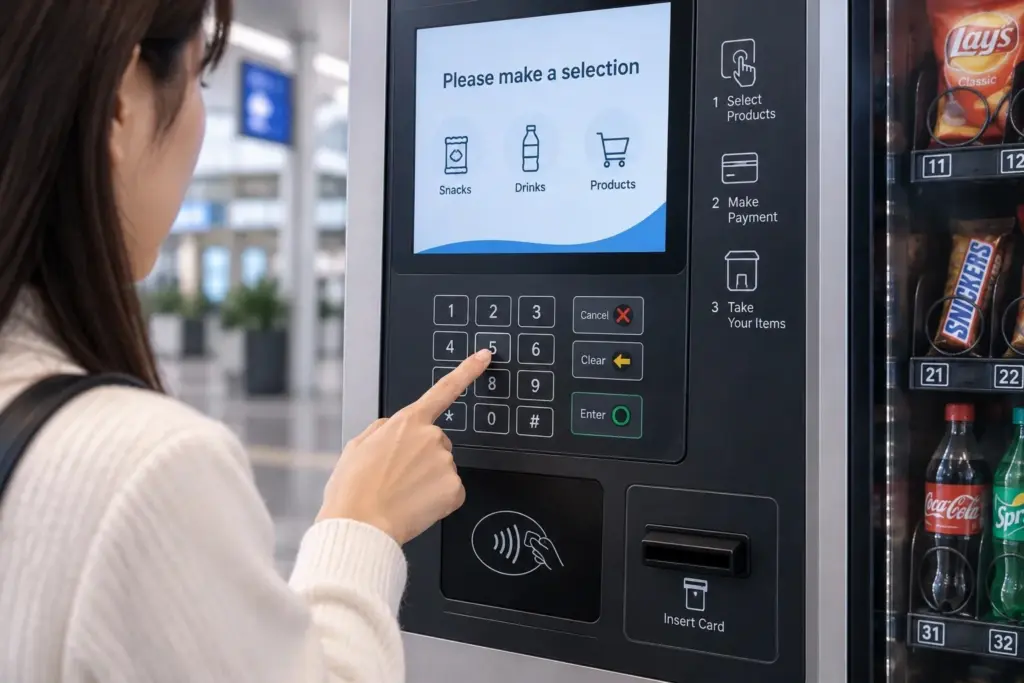
Kiosk and vending equipment interfaces are used repeatedly by different users and often require clear instructions, durable graphics, stable key response, and cleanable surfaces. JASPER manufactures membrane switches, keypads, LED indicator panels, and graphic overlays for kiosk and vending equipment manufacturers.
Design Priorities
| Priority | Design Response |
| Public use | Durable overlay and repeatable key response |
| Cleaning | Smooth surface and chemical-resistant materials |
| Clear guidance | High-contrast legends and intuitive icon layout |
| Lighting | LED indicators or backlit symbols |
| Service | Stable tail routing and replacement-friendly structure |
| Mounting | Adhesive and cutouts matched to the enclosure |
FAQ
Can membrane switches be used in public equipment?
Yes, if material, key life, sealing, and mounting are designed for the use environment.
Can the interface include LEDs?
Yes. LED indicators and backlit icons can be integrated.
Can JASPER support custom kiosk layouts?
Yes. Custom key layouts, windows, labels, and connectors can be reviewed.
Kiosk and vending design details
Plan the interface around repeated public use, cleaning, readable instructions, and service access. Confirm indoor or outdoor exposure, tactile feedback, lighting, and connector access before tooling, including how the panel will be replaced in the field.
Design decisions that should be made before tooling
| Decision | What JASPER needs to know |
|---|---|
| High-touch operation | Plan for repeated public use, cleaning, abrasion, and clear instructions. |
| Outdoor vs. indoor kiosk | Outdoor equipment may need UV, moisture, anti-glare, and sealed tail routing. |
| Serviceability | Decide whether the interface is bonded permanently or replaced as a service part. |
| User feedback | Tactile domes, LED indicators, and graphic grouping help public users complete actions quickly. |
Common failure risks and how to prevent them
| Risk | Prevention |
|---|---|
| Public users press too hard | Use suitable key spacing, dome force, and backing support. |
| Graphics scratch or fade | Use protected print and abrasion-resistant finish. |
| Sunlight makes labels unreadable | Choose contrast, matte/anti-glare finish, and UV-reviewed materials. |
| Service replacement damages wiring | Define connector access and tail routing for field service. |
Typical structure to review
- Durable graphic overlay
- Tactile membrane switch or keypad
- Optional LED indicator layer
- Protective display/window treatment
- Serviceable connector/tail design
Application-specific RFQ checklist
- Indoor or outdoor location
- Expected daily actuation and public abuse risk
- Cleaning schedule and chemicals
- Need for LED indicators, windows, or anti-glare finish
- Service replacement method and connector access
Additional application questions
Should kiosk controls be tactile?
Often yes, because public users benefit from clear feedback. But flat sealed controls may be better for cleaning or vandal-prone designs.
Can kiosk panels be made field-replaceable?
Yes, if connector access, adhesive area, and service procedure are designed before production.
Public-use service planning
Design the interface for cleaning, misuse, and field replacement
Kiosk and vending controls rarely fail under a single ideal test condition. They experience repeated touches from different users, cleaning agents, coins or tools near the panel, and occasional impact at the enclosure edge. The interface specification should therefore describe expected daily actuation, cleaning frequency, indoor or outdoor placement, and whether operators wear gloves. These details influence overlay texture, tactile force, legend contrast, hard-coat selection, and the sealing strategy around windows and the cable exit.
Service planning should be decided before adhesive and connector details are frozen. A permanently bonded panel may provide a clean appearance, while a field-replaceable control needs accessible fasteners or adhesive removal space, connector access, and a controlled cable path. For payment or display equipment, window alignment and surface condition should be inspected against the final enclosure rather than as a loose component.
Inputs for a realistic life test
- Expected operations per day and target service life.
- Cleaning chemicals, frequency, and wipe method.
- Indoor, outdoor, UV, temperature, and moisture exposure.
- Glove use, required tactile feedback, and legend contrast.
- Field-replacement method and connector access.
Recommended interface types
Final selection depends on enclosure drawings, operating environment, cleaning exposure, key feel, cable routing, quantity, and documentation requirements. JASPER reviews these points before tooling.
What to send for an application quote
- Panel size, enclosure drawing, or sample photos.
- Artwork file, legend requirements, and window positions.
- Operating environment: cleaning, UV, moisture, vibration, temperature, or glove use.
- Connector, tail exit, adhesive surface, expected annual quantity, and compliance requirements.
Build this interface around your real use environment.
Send your drawing, application notes, and target quantity. JASPER will review the material stack, sealing method, graphics, circuit, connector, and manufacturing path.
Request an Engineering Review