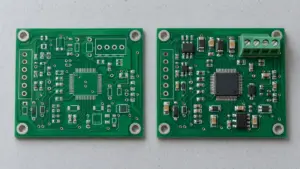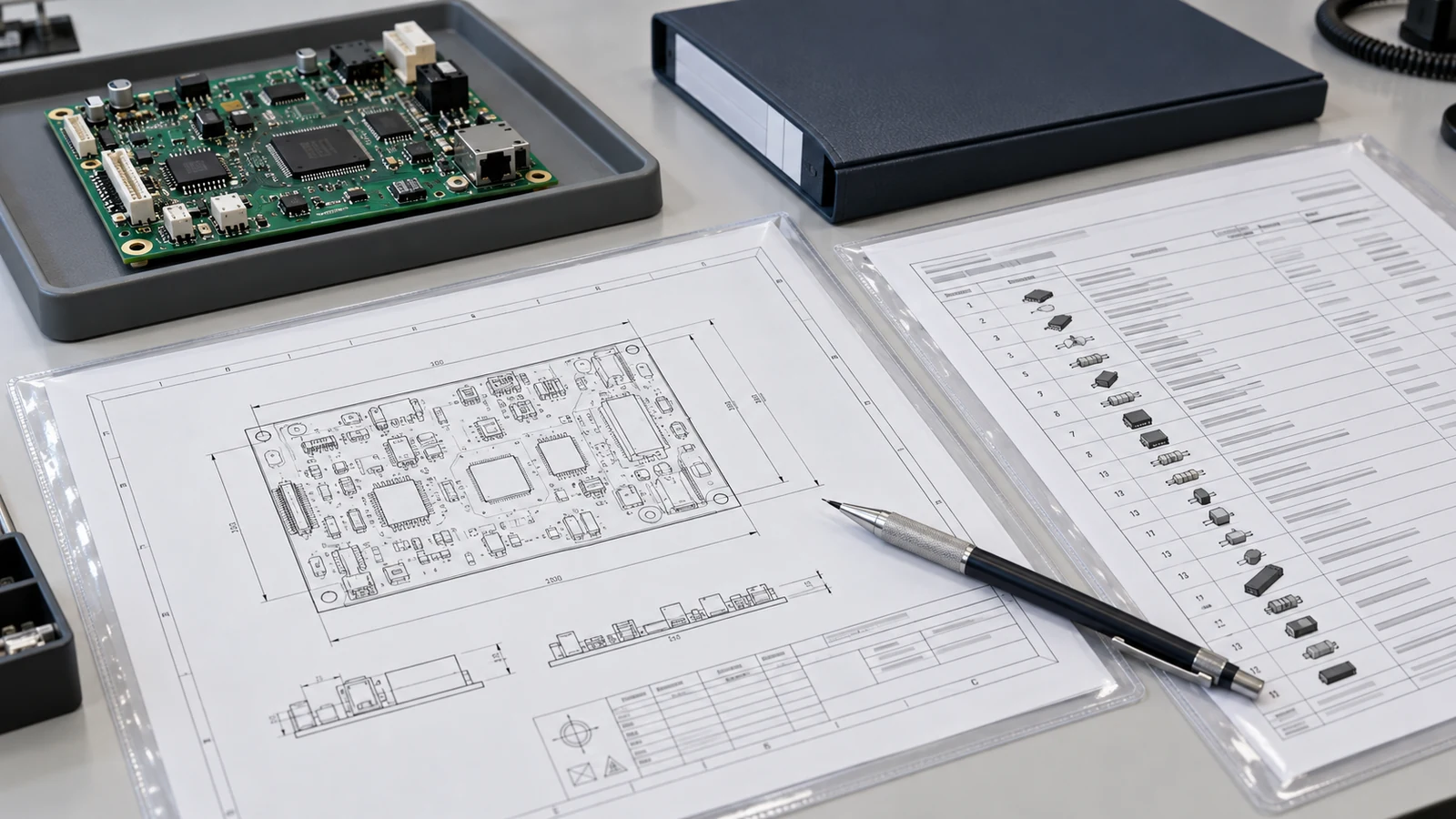
PCB assembly drawing requirements define the human-readable information needed to build and inspect an approved printed circuit board assembly: identified board views, reference designators, polarity, connector orientation, mechanical hardware, protected areas, special processes and controlled document references. The drawing complements the bill of materials (BOM) and component placement list (CPL); it does not replace machine coordinates or a controlled work instruction. Release it when each product-specific note identifies the affected feature, the required condition and how manufacturing can verify the result.
An assembly drawing describes the intended assembled product. A BOM identifies the required items, while a CPL locates component references by position, rotation and board side. The drawing makes physical relationships and product requirements visible to the people preparing, building and checking the assembly. Richer manufacturing datasets may carry additional information, but the released package still needs an unambiguous, accessible definition of these requirements.
- Show Board Views and Reference Designators Without Ambiguity
- Mark Pin 1, Polarity and Connector Orientation
- Define Mechanical Hardware, Heights and Assembly Details
- Specify Special Processes and Masked or Protected Areas
- Connect Notes to Approved BOMs and Work Instructions
- PCB Assembly Drawing Requirements Review Matrix
- Review the Drawing for Shop-Floor Readability
- Define Applicable Specifications and Standards
- Five Application Scenarios
- 1. A double-sided controller with similar component layouts
- 2. A right-angle connector behind an enclosure opening
- 3. A power board with a mounted heat sink
- 4. A coated sensor board with service test points
- 5. An assembly with a shield that hides workmanship
- Prepare the Drawing Package for Manufacturing Review
Show Board Views and Reference Designators Without Ambiguity
Board views must tell the reader which physical face is visible and how the illustration relates to the real board. Provide top and bottom views whenever both sides contain assembly requirements. Name each view explicitly, retain recognizable board features and keep reference designators readable at the intended print or screen size.
Use an explicit label such as “BOTTOM VIEW — LOOKING DIRECTLY AT BOTTOM SIDE” for a direct underside view. A top-through representation needs a different, equally explicit label. Verify the exported view against the source design using a distinctive connector, mounting-hole pattern or cutout. Do not apply a manual mirror merely because the components are on the bottom.
Use different view types to answer different manufacturing questions:
| View or detail | Information it should communicate | Ambiguity to remove |
|---|---|---|
| Top and bottom assembly views | Component identity, visible outline, side and local callouts | Which face is being observed and which reference belongs to each part |
| Side or section view | Installed height, seating, hardware stack and interface datum | Whether the requirement applies to a loose part or the completed assembly |
| Enlarged detail | Dense polarity marks, connector features or a small protected boundary | Whether a leader points to a pad, body, contact or adjacent feature |
| Exploded hardware view | Item identity and order of washers, spacers, insulators and fasteners | Which pieces belong above, below or between the adjoining parts |
Reference designators should remain associated with their components even when leaders cross a dense area. Use enlarged details rather than shrinking labels until they become unreadable. Identify the assembly variant and represent unpopulated positions consistently with its approved BOM; detailed DNP and DNI management belongs in the variant documentation.
CAD generation reduces redrawing, not review responsibility. Depending on the export setup, component graphics may come from assembly layers, silkscreen or projected models; view direction, labels and pin markers may also be configurable. Check the exported result, not merely the presence of an assembly-view object in the CAD file.
Mark Pin 1, Polarity and Connector Orientation
Polarity callouts must identify an electrically meaningful terminal and its physical location. Show pin 1 or another unambiguous orientation feature for applicable devices, and identify polarized terminals using the approved component datasheet. A package dot, chamfer or printed stripe is useful only after its meaning has been checked for that exact part.
For a diode, identify the cathode against the approved package drawing. For a polarized capacitor, identify the required terminal rather than assuming that every manufacturer’s stripe means the same thing. For a connector, show pin numbering together with the key, latch or mating direction when those features determine correct installation. The referenced supplier likewise recommends orientation markings that agree with the component datasheet.
Connector orientation needs more than a pin-1 dot when the assembly interfaces with a cable or enclosure. State whether a detail shows the mating face, contact face or board-facing side. Name the cable-exit direction relative to a recognizable board feature, not simply “left.” A mirrored-looking connector illustration may be correct for a different observer position; appearance alone is not an error diagnosis.
Where body markings become hidden, preserve the orientation evidence in a detail and identify the inspection point before access is lost. Escalate a disagreement among the footprint, datasheet and assembly drawing for engineering resolution. An operator should not choose whichever marking is easiest to see.
Define Mechanical Hardware, Heights and Assembly Details
Mechanical assembly details must define the installed relationship between the PCB, its hardware and the surrounding interface. Show the required items, their order, the locating features and the condition to be inspected. A component outline alone cannot communicate washer order, electrical isolation, seating or a supported mounting stack.
Tie each hardware item to a BOM item or a controlled subassembly. An exploded view can show screw, washer, insulator, PCB and spacer order; a section can show which surface is actually clamped. Identify an insulating piece explicitly when substituting a visually similar conductive item would change the design.
For height requirements, name the datum and installed condition. “Maximum assembled height above the finished top PCB surface” is clearer than “component height.” State units, the applicable tolerance or maximum limit and whether the requirement includes solder, adhesive, thermal-interface material or compressible parts. Record the approved product value rather than deriving an acceptance limit from the apparent scale of a PDF. Detailed enclosure-clearance and tolerance-stack design remains a separate engineering task.
Torque belongs to a defined joint, not to a generic drawing note. Identify the fastener and approved tightening requirement, including the specified thread engagement, bearing stack and lubrication or locking condition where applicable. Control these inputs directly or by reference. A familiar connector’s torque should not be reused for another connector, a heat-sink screw or a plastic support.
Specification C00542, Appendix 5, distinguishes two connector operations: PCB board-mount fixings use 21 ± 2 cmN, equivalent to 0.21 ± 0.02 N·m; mating has a maximum of 23 cmN, or 0.23 N·m. These values belong to those operations within that specification, not to PCB assembly generally.
Where installation affects soldering, accessibility or stress, show the required relationship and reference the approved sequence. The drawing can require a supported connector to be secured at a specified stage; the work instruction should control the tool, tightening method and any process-specific verification.
Specify Special Processes and Masked or Protected Areas
Special-process notes must identify the feature, approved material or process reference, required boundary, sequence dependency and acceptance condition. “Coat board,” “add glue” and “protect connector” leave manufacturing to decide product requirements that belong in the released definition.
For conformal coating, distinguish coverage from protected regions. Identify connector contacts, test interfaces, openings and sensitive surfaces individually where exclusion is required. Electrical contact, optical function and unwanted penetration under components are different reasons for exclusion; the design determines which apply. Do not assign every LED, connector or package the same treatment automatically.
Draw keep-out boundaries as controlled geometry tied to identifiable features. Use a legend that distinguishes “must remain uncoated” from “coating not required”; those instructions do not mean the same thing. Define whether a boundary applies to both faces, hole walls, an exposed contact surface or an entire component. Set any tolerance from the product requirement and the agreed process, not from a default line width.
Specify the protected finished result, not the coating nozzle’s path. Overspray during application and coating creep after deposition are different mechanisms. Account for both when selecting and qualifying the process; a nominal spray boundary does not establish the final coating edge.
Other special processes need equally specific notes. State adhesive location and approved material for staking, interface coverage for a thermal compound, or the required electrical connection for an installed shield. Keep cure recipes, dispensing settings and detailed operator motions in the controlled work instruction unless the product definition explicitly controls them.
Record sequence where it changes the result or inspection access. A shield may require inspection underneath before attachment; a test interface may need to remain accessible until its specified test is complete. For coating, reference any required pre-cure edge check and mask-removal timing in the approved instruction. The drawing names the dependency; the validated process determines the applicable execution order.
Connect Notes to Approved BOMs and Work Instructions
Assembly notes must point to the controlled documents that define materials, methods and acceptance. Identify the assembly number and revision, applicable variant, drawing revision and referenced instructions. A controlled release index can manage the exact document set, but it must resolve the applicable versions without leaving the shop floor to interpret “use latest.”
The drawing, BOM and work instruction have complementary responsibilities. The drawing defines the feature and required result; the BOM identifies the approved item; the work instruction defines the approved execution method and checks. Put a requirement in an authoritative location and make its references explicit instead of maintaining inconsistent copies in several documents.
Consider this illustrative document-linkage note for a hypothetical release:
Apply the coating identified by BOM-240 Rev C to the hatched regions in Detail B using WI-240-07 Rev B. Keep J1 mating contacts and TP1–TP4 uncoated. Release the coated assembly only after the cure and inspection criteria in WI-240-07 Rev B are met.
The example works because it links location, material, method, protected features and acceptance. In an actual release, Detail B and those referenced documents must exist and agree; the note is not a substitute for their content.
Make externally stored instructions accessible at the point of use and control their revisions. A broken link or a supplier document that changes without review defeats the reference. When requirements conflict, stop the affected operation and obtain an authorized disposition or corrected release. Do not create an informal rule that the drawing always overrides the BOM or that a verbal instruction overrides both.
PCB Assembly Drawing Requirements Review Matrix
A drawing review should connect each annotation to a manufacturing action and an observable result. Use the following matrix to check whether the package answers the questions an assembler or inspector will face, rather than merely confirming that a PDF exists.
| Drawing Element | Manufacturing Purpose | Required Detail | Related File | Review Check |
|---|---|---|---|---|
| Top and bottom views | Locate work on the correct face | View direction, board outline, visible features, reference designators and variant | PCB design and assembly export | Match an asymmetric feature and identify each referenced component on the correct side |
| Polarity callouts | Install electrically oriented parts correctly | Named terminal, pin 1, key or mating-face detail tied to the approved part | Component datasheet and BOM | Check orientation from a fixed viewing direction against the exact part |
| Mechanical hardware | Build and inspect the intended installed stack | Item references, stack order, datum, height and approved joint requirements | Mechanical drawing, hardware BOM and installation instruction | Verify seating, isolation, installed height and the specified joint condition |
| Special-process notes | Perform the correct controlled operation | Feature, material reference, sequence dependency and acceptance reference | Process specification and work instruction | Resolve the approved method and identify the evidence required before release |
| Protected areas | Preserve required contact, access or surface function | Bounded area, affected faces, exclusion meaning and inspection condition | Coating or masking drawing and inspection instruction | Inspect the finished protected feature, not just the mask before processing |
| Revision block | Identify the authorized product definition | Drawing identity, revision, change reference, variant and approval status | Release index and engineering change record | Confirm that the drawing belongs to the approved manufacturing package |
An unresolved cell is a release question for the responsible engineer. Resolve it before the affected operation begins, especially when the result will be hidden, cured, bonded or otherwise difficult to inspect afterward.
Review the Drawing for Shop-Floor Readability
Shop-floor readability means a trained reader can identify the feature, find the controlling requirement and recognize the acceptable result without guessing. Review the exported document at its intended viewing size and in the format actually supplied to manufacturing, not only inside the design application.
Check that leaders terminate on the intended features and that reference designators remain legible in dense regions. Preserve sufficient contrast when printed in grayscale. If color distinguishes a protected area, pair it with hatching, labels or another explicit legend so that color loss does not erase the requirement.
Ask a manufacturing reviewer to trace a complete task: find the component, determine its orientation, locate the hardware or process requirement and identify the inspection evidence. Include bottom-side work and any hidden-interface inspection. This is more revealing than asking whether the drawing “looks clear.”
A practical review path is:
Confirm release identity → orient the physical board → trace each special requirement → resolve referenced instructions → verify inspection access → approve or return with specific questions.
When a change affects one of these steps, review the dependent views and notes as well as the revision block.
Define Applicable Specifications and Standards
Applicable specifications establish the language and acceptance framework for the assembly; they do not supply missing product-specific design decisions. State the standards, revisions and classifications agreed for the project, and distinguish a contractual requirement from an informative reference.
| Reference | Role in the released package | What the drawing still must define |
|---|---|---|
| ASME Y14.5, when invoked | Dimensioning and tolerancing conventions for drawings and models | The actual datum, installed dimension, tolerance and feature to which each requirement applies |
| IPC J-STD-001, when invoked | Requirements addressing materials, methods and acceptance for soldered electrical and electronic assemblies | The agreed applicability, revision, product class and product-specific assembly requirements |
| IPC-A-610, when invoked | Visual acceptability criteria for electronic assemblies | Required operations, authorized materials and design-specific features that acceptance criteria alone cannot establish |
| Approved component and process specifications | Conditions for the selected part, material or process | The affected item, operation, controlled document reference and required result |
The J-STD-001J public scope identifies Class 1—General Electronic Products, Class 2—Dedicated Service Electronic Products, and Class 3—High Performance/Harsh Environment Electronic Products. Specify the agreed class instead of silently choosing Class 3 as a premium default. Its public text also distinguishes a newly published revision from an automatic requirement to use it.
ASME describes Y14.5 as a dimensioning and tolerancing language. IPC-A-610’s public scope, meanwhile, states that acceptance criteria do not define assembly processes or authorize changes: an adhesive acceptance criterion does not itself require or permit adding adhesive. Use these documents for their stated roles, not as substitutes for approved assembly instructions.
Five Application Scenarios
Assembly drawing requirements become easier to evaluate when tied to a physical build task. The following illustrative scenarios show how to turn an interface or process dependency into a drawing requirement; they are not customer case studies.
1. A double-sided controller with similar component layouts
A controller carries visually similar connectors on opposite faces. Give both views explicit observer directions and use an asymmetric board feature to confirm orientation. Enlarge the connector detail and identify pin 1 against the approved datasheet. The reviewer should locate the physical connector without mentally guessing a mirror transformation.
2. A right-angle connector behind an enclosure opening
A right-angle connector must mate through a housing wall. Show its mating face, key and cable direction, then dimension the approved installed interface from a board datum. Reference the enclosure interface drawing instead of attempting to resolve the entire clearance analysis in the assembly drawing. Check the seated condition, not just the footprint.
3. A power board with a mounted heat sink
A power board uses a heat sink, electrical insulator and fastening stack. Show the actual order and seating surfaces in section. Tie the joint requirement to its approved hardware specification, and identify thermal-interface material through the BOM. Inspect the interface at the stage when its presence and placement remain visible.
4. A coated sensor board with service test points
A sensor board requires coating while retaining accessible electrical test contacts. Define coverage and contact exclusions separately, identify affected faces and reference the approved coating instruction. Check the finished contact area after processing. A mask that initially covered the contact is not, by itself, evidence that the released contact is usable.
5. An assembly with a shield that hides workmanship
A shield hides joints or adhesive features after attachment. Mark the shield location and the required inspection dependency before closure. Reference the work instruction for attachment and verification. The drawing establishes what must remain inspectable and when; it does not replace the complete soldering, bonding or rework procedure.
Frequently Asked Questions
The following answers address recurring release questions about assembly drawings, their supporting files and their limits.
Does a complete CPL eliminate the need for an assembly drawing?
No. A CPL provides component position, rotation and board-side information, but it does not by itself communicate every mechanical, protective or sequence requirement. Supply a controlled drawing or equivalent agreed product-definition documentation that makes those requirements accessible. Keep machine-placement validation separate from the review of human-readable assembly instructions.
How should bottom-side components be shown on the drawing?
Show bottom-side components in an explicitly identified view with a stated viewing direction. A direct view looking at the bottom face is straightforward when labeled accordingly. Confirm the exported orientation against an asymmetric board feature and the source design. Do not assume that every bottom view requires the same manual mirroring operation.
Where should connector orientation and hardware details be specified?
Specify connector orientation and hardware relationships on the controlled assembly drawing, using enlarged, side, section or exploded views as needed. Reference the exact component datasheet and mechanical documents for detailed requirements. Show the mating face, key, installed position and hardware order rather than relying on a footprint or purchasing description alone.
What makes a special-process note actionable for manufacturing?
An actionable note identifies the affected feature, approved material or process reference, required boundary, relevant sequence dependency and acceptance condition. It gives manufacturing a defined result and a controlled execution source. A vague instruction such as “apply coating” is insufficient when protected contacts, coverage or inspection timing affect the released assembly.
How should assembly drawings refer to external work instructions?
Reference external work instructions by controlled document identity and applicable revision, either directly or through an approved release index. Ensure manufacturing can access the referenced version at the point of use. Define how changes are reviewed and released. A general hyperlink or an uncontrolled instruction to use the latest version is not enough.
Who should set the torque and installed-height requirements?
The responsible design authority should approve torque and installed-height requirements using the selected joint, component and mechanical interface specifications. Manufacturing should review how those requirements will be achieved and verified. Do not borrow a torque from a different connector or convert a nominal model height into an acceptance limit without approval.
What should happen when the drawing conflicts with the BOM?
Stop the affected operation and obtain an authorized resolution before proceeding. Identify the conflicting requirement, affected references and released document versions. Resolve the discrepancy through the project’s controlled disposition or change process. Do not let the shop floor decide precedence by convenience, and update dependent documents when the approved resolution changes them.
Can a 3D model replace an assembly drawing?
A 3D model can replace some drawing views only when the agreed controlled product definition also communicates all required annotations, revisions and acceptance information. Geometry alone does not establish polarity interpretation, protected regions or process dependencies. Confirm that manufacturing and inspection can access and interpret the complete definition in their actual working environment.
Prepare the Drawing Package for Manufacturing Review
Prepare the assembly drawing together with its approved BOM, CPL, relevant mechanical interfaces and referenced work instructions. Identify the variant, flag unresolved product decisions and name the engineering contact authorized to resolve them. Prioritize orientation, installed hardware, protected regions and requirements that become hidden during processing.
For a JASPER PCB assembly services discussion, supply that coordinated package and request a review of drawing completeness and manufacturing questions. Settle the product requirements before approving the affected build operations; the goal is a shared, inspectable definition of the assembly, not simply another file in the release folder.
Ready to Start Your Project?
Tell us about your membrane switch, keypad, or graphic overlay requirements. Our engineering team will review your specifications and provide a detailed quote.