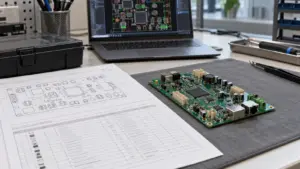
Specify a capacitive touch laboratory instrument panel around the operator’s tasks, approved gloves, named chemical exposures, parameter-confirmation rules and host-reported equipment states—not around a “glove compatible” label alone.
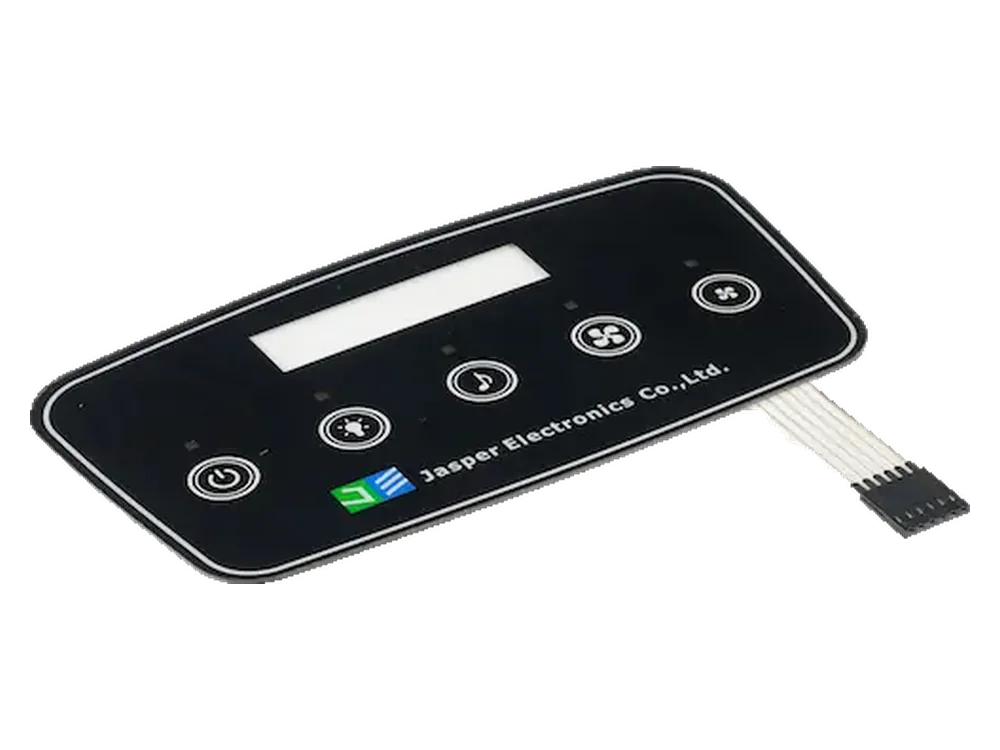
Illustrative concept: fixed-function capacitive keys and a separate status display for routine setup on a benchtop laboratory centrifuge. This is a requirements example, not a JASPER installation, operating procedure or test report.
Use custom capacitive touch panels as the physical-interface sourcing category. Define sensing, display and instrument-control responsibilities separately before comparing quotations.
Define Instrument Tasks and Glove Conditions
Begin with the sequence of decisions the operator must complete accurately. For this concept, map the interface as:
Select configuration → edit speed/RCF and time → review values and units → commit settings → request a run → observe host-confirmed status.
The 5425/5425 R instrument example distinguishes rotational speed, relative centrifugal force (RCF), timer functions and rotor-dependent capacity or performance. Use these as examples of instrument-specific requirements; they do not establish that the instruments use capacitive controls.
Add these centrifuge-specific items to the requirements checklist:
- Parameter identity: distinguish rpm from RCF in × g and identify the rotor configuration used by the host.
- Editing and timing: define permitted ranges, editing increments and when the run timer begins.
- Program reuse: specify handling after a rotor or unit change; do not silently reinterpret an unchanged number under a different unit.
Record each approved glove’s manufacturer, model, material, size, fit and layer count, with permitted dry or damp conditions. A glove adds a dielectric layer between finger and electrode. Account for its thickness and material when defining and validating the sensing arrangement.
Compare complete tasks, not isolated taps: select the intended field, adjust it, release, review and cancel or commit. Log incorrect field selection, missed inputs and continued adjustment after release. Use the water and glove tuning guide for sensing details rather than treating increased sensitivity as a complete workflow solution.
Specify Chemicals and Cleaning Contact
Name the actual formulation and exposure method before discussing material suitability. Build a ledger such as the following; these entries are illustrative, not approved cleaning recommendations.
| Exposure ID | Chemical or material to identify | Contact definition to complete |
|---|---|---|
| C1 | The specified isopropanol-based cleaning product | Product/formulation, concentration and basis, wipe loading, contact time, drying procedure |
| C2 | A sodium-hypochlorite disinfectant, only when authorized for the instrument | Exact product, working dilution, prescribed contact, any required rinsing and drying |
| C3 | The workflow’s phosphate-buffered saline | Actual formulation, accidental contact location, residue condition and approved removal procedure |
Record exposure frequency, temperature, cloth, wiping action and whether contact reaches printed areas, window borders or bonded edges. Keep cleaning products and test sequences separate; follow their safety instructions and the instrument’s approved procedure. Do not treat this ledger as permission to mix chemicals or wet an energized instrument.
A broad material rating does not approve a finished panel. For 4965 Original Next Gen, the chemical-resistance rating is qualitative and technical values are typical, not specification values. This distinction limits how those data can be used; it does not select the adhesive for the project.
Request grade-specific evidence for the cover, hard coat, ink and adhesive. Compare its reagent, contact method and conditioning with the ledger. Screen representative coupons first, then assess the agreed assembled stack for haze, legend damage, edge lifting and changed touch behavior. For electrical checks, use an approved engineering setup and safe exposure method—not an improvised spill test on an operating centrifuge.
Separate Critical Inputs from Routine Navigation
Treat editing, committing and requesting operation as separate decisions. In this concept, navigation selects a field; adjustment changes an uncommitted value; confirmation submits that value to the host. A Start touch requests operation but does not establish permission to run.
Use a defined error-handling table rather than leaving behavior to incidental controller defaults.
| Input situation | Proposed handling to specify and verify |
|---|---|
| Held adjustment key followed by release | Apply the documented repeat behavior, then stop adjustment within the agreed release limit. |
| Overlapping adjacent touches | Reject or resolve them by a documented rule; do not unpredictably alter another field. |
| Repeated confirmation | Do not create duplicate setting transactions. |
| Cancel during editing | Restore the last committed value and its unit. |
| Start request while the host is not ready | Report rejection and its reason; do not queue an automatic start for later. |
Assign the cover owner surface and bonding requirements; the sensor owner electrode layout; the controller owner acquisition and event reporting; the touch-firmware owner filtering and release behavior; the display owner rendering and readability; and the host owner parameter validity, command acceptance and equipment state.
Keep lid interlocks, critical start permission and protective functions within the instrument’s safety design. An ordinary capacitive Start or Stop key is not their replacement. Define any HMI assembly purchase around its agreed physical scope, without silently assigning instrument software or safety validation to the assembly supplier.
Design Clear State and Command Feedback
Show what the host has accepted and what the instrument is actually doing—not merely that a finger was detected. Use distinct messages for “editing,” “settings applied,” “start requested” and host-confirmed running status.
For the illustrative centrifuge, label set speed separately from measured speed when both are displayed. Identify the timer’s meaning. Distinguish running, decelerating and stopped states, and display permission to open only from the instrument’s authorized state logic. Do not infer permitted access from a timer reaching zero or a local key indicator changing color.
Include communication loss, rejected settings and recovery in the display specification. Require an explicit stale-status indication instead of continuing to present an old “ready” state as current. Define resynchronization after cleaning, restart or reconnection, without replaying pending run requests.
Compare readability at the installed angle, intended lighting and specified post-cleaning condition. Ask operators to identify the committed settings and current state without explanation. Record misunderstandings and correlate controller events, host acknowledgments and display changes by timestamp. Specify the role of each tone or lamp; do not make one generic beep mean detection, acceptance and completion.
Create the Instrument-Specific Acceptance Matrix
Approve the task-condition-state combination, not a component label. Use the following illustrative template alongside—not instead of—the instrument’s safety validation. Actual-result cells are intentionally blank.
| Instrument task/state | Chemical or contact condition | Required display/feedback | Input acceptance and evidence | Actual result |
|---|---|---|---|---|
| Adjust time in idle setup | Approved dry glove; unexposed reference panel | Selected field, unit and uncommitted value | Correct increments; release ends repeat; log missed or extra events | |
| Change rpm/RCF or rotor configuration | Approved glove; panel after C1 exposure and prescribed drying | Correct unit and affected settings identified | Host revalidates settings; no silent unit reinterpretation | |
| Confirm parameters with residue present | C3 condition on approved test setup | Acceptance or explicit input inhibition, as specified | No unintended commit; record press, release and host decision | |
| Wipe the front panel | Authorized C1 or C2 procedure and OEM-defined cleaning state | Cleaning restriction visible where powered operation is permitted | No setting change or run request; verify on approved setup | |
| Return to setup after cleaning | Prescribed drying completed; approved glove | Current committed settings and recovery state | Deliberate new input required; no stored touch replay | |
| Request Start while readiness is false | Approved dry condition; simulated host state | Rejection reason, not “running” | No accepted run command and no queued automatic start | |
| Observe stopping or lost communication | Authorized simulation; repeat relevant post-exposure checks | Deceleration, stale status or permitted-access state distinguished | No false ready/access indication; match host and display logs |
Before testing, agree sample quantity, repetitions, exposure cycles, response limits, failure definitions and retest rules. Record stack, controller, firmware and host revisions, glove and exposure IDs, failures and trace references. Leave acceptance limits open until the responsible teams approve them; do not turn illustrative entries into performance guarantees.
For fixed keys, evaluate press, release and host events. For a projected-capacitive coordinate touchscreen, add a separate location-based plan for targets, edges and supported gestures or multi-touch. Keep general construction and interface details in the custom capacitive touch panel design guide; this matrix adds centrifuge-specific use cases.
Frequently Asked Questions
Resolve integration changes against the approved instrument configuration. These questions identify common decisions to close before design release.
Can an existing instrument controller be retained?
Possibly. First identify whether the purchased panel provides raw sensing electrodes or processed key events. Confirm electrical interfaces, event mapping, configuration access and fault handling before deciding whether the existing controller can remain.
What should trigger review when a glove supplier changes?
Review the exact replacement glove, fit and layer count against the approved configuration. Repeat the affected parameter-entry and release tests; do not approve equivalence solely because both gloves are described as nitrile.
Can a solvent-immersion report approve a daily wiping procedure?
Not by itself. Compare the report’s material, reagent, concentration, temperature and exposure method with the proposed wipe process. Resolve differences through relevant coupon and assembled-panel checks before accepting the cleaning requirement.
Should every touch require a confirmation screen?
No. Keep routine navigation efficient. Define confirmation around consequential parameter changes or program selection, and distinguish committing settings from requesting a run. Confirmation dialogs do not replace the instrument’s protective functions.
Can fixed-key and touchscreen versions share one test specification?
They can share task scenarios and host-state expectations. Keep sensing acceptance separate: fixed keys need press, release and event checks; a coordinate touchscreen needs target-location and applicable edge, gesture or multi-touch checks.
What should happen after communication returns during parameter editing?
Specify whether the uncommitted edit is discarded or restored for review. Reconcile displayed settings with the host, identify anything not applied, and require a fresh authorized run request rather than replaying a pending Start command.
What evidence should accompany a replacement front overlay?
Request the controlled material, coating, printing and adhesive revisions, dimensional records and change rationale. Compare legibility, bonding and touch-event behavior before and after the agreed exposures; matching external dimensions is not sufficient acceptance evidence.
Review Your Instrument Front Panel
Submit the workflow and exposure requirements with the drawing. Include the key layout and display states, proposed stack, controller/interface ownership, prototype and production quantities, glove list, chemical ledger and acceptance matrix. Identify who owns parameter validation and instrument protective functions.
Ready to Start Your Project?
Tell us about your membrane switch, keypad, or graphic overlay requirements. Our engineering team will review your specifications and provide a detailed quote.