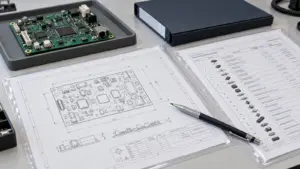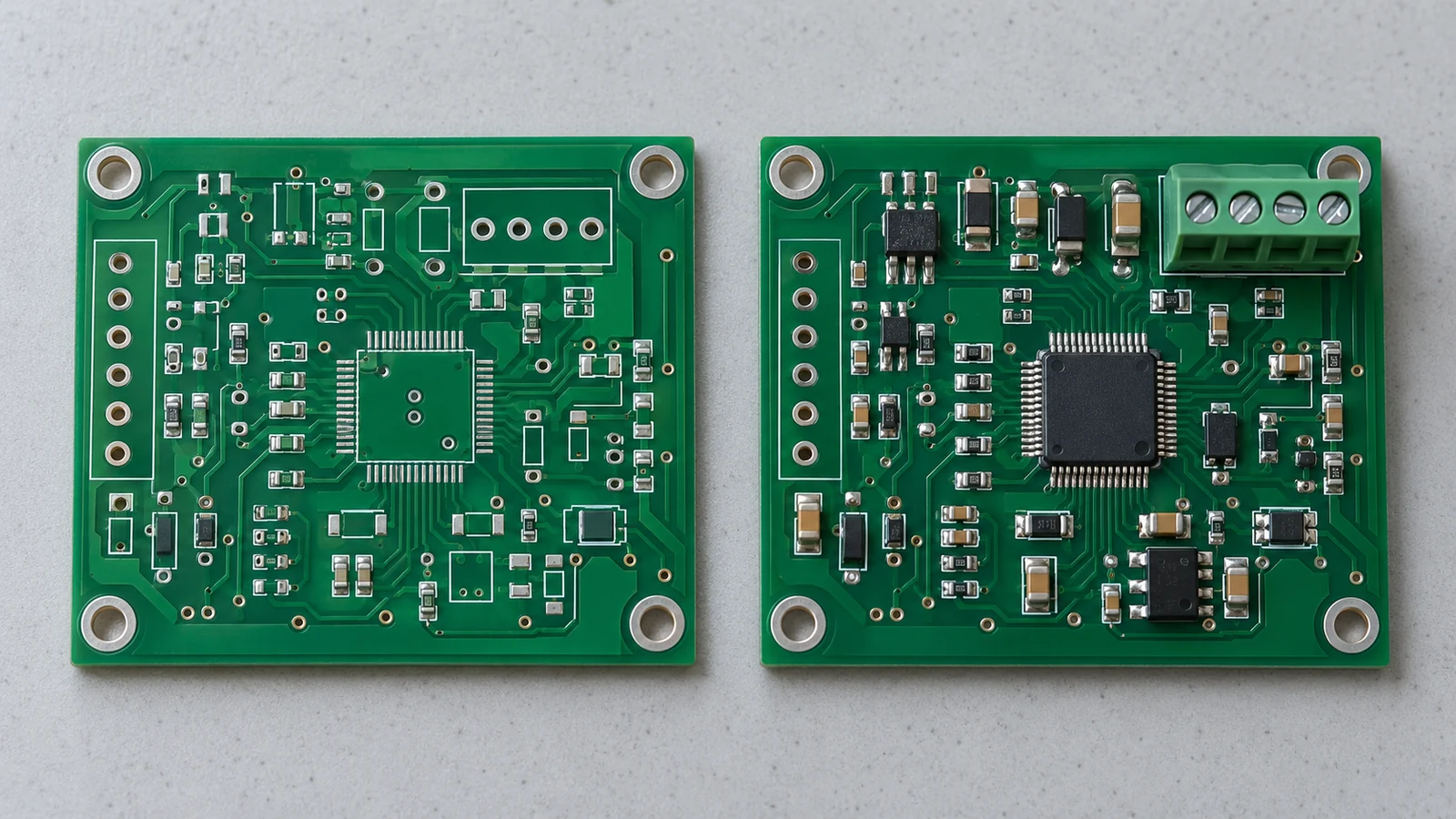
DNP means “do not populate”; define DNI as “do not install” when that term is used in your release. For DNP/DNI PCB assembly, document the accepted terms explicitly and give every component position an unambiguous population state. Keep intentional omissions traceable in the controlled BOM or its linked DNP schedule, then reconcile placement data, assembly drawings, inspection programs, and test settings against that same release. An empty footprint is not automatically a missing component, and a component omitted from one export is not automatically authorized to remain absent.
- Define DNP and DNI Within the Released Build Package
- Separate population intent from production status
- Keep Unpopulated Positions Visible in the BOM
- Reconcile sites, fitted quantity, and operations
- Decide How DNP Positions Appear in Placement Exports
- Choose the receiving workflow before exporting
- Check EDA controls and the actual imported result
- Mark Assembly Drawings and Variant Selections Consistently
- Compare the six systems that express population intent
- Specify the interface and acceptance basis
- Align Inspection and Test Expectations with Unpopulated Sites
- Verify absence rather than only disabling missing-part alarms
- Reconcile paste and electrical behavior independently
- Check DNP Changes Before Releasing a New Build
- Apply DNP Controls to Five Build Situations
- Optional communications interface
- Production board without a debug header
- Approved filter-tuning option
- Connector installed during final integration
- Approved temporary omission during a pilot build
- Prepare the DNP Package for Your Next Assembly Review
Define DNP and DNI Within the Released Build Package
DNP and DNI should identify an approved decision not to install a component in a named assembly configuration. Define the terms in the release legend rather than assuming that every designer, purchasing system, and contract manufacturer interprets them identically. Use one normalized population field internally, then map it to the receiving system’s accepted representation.
A practical release key combines the assembly part number, assembly revision, variant identifier, and reference designator. Keep the bare-board revision associated with that key, but do not use it as the only assembly identifier. Distinguish assembly variants that share a fabricated board from fabrication variants that change board outputs.
Separate population intent from production status
For release control, classify each position using the following decision states. These are workflow categories, not universal EDA field values.
| Position state | Meaning for this build | Required instruction | Release consequence |
|---|---|---|---|
| Fitted in the current operation | The component is required now | Identify the approved part and assembly operation | Include in that operation’s build list |
| Intentionally unpopulated | The final assembly must omit the component | Record DNP and the applicable configuration | Exclude from installation; define absence verification |
| Fitted in a later operation | The component is required in the finished assembly | Name the later operation and responsible party | Keep in final fitted quantity; omit only from earlier operations |
| Unresolved or shortage hold | The intended final state is not approved or cannot yet be achieved | Record the issue and approving owner | Do not convert the position to DNP to close the issue |
A customer-supplied connector is not DNP merely because the assembler will not purchase it. A hand-installed component is not DNP merely because it is absent from an SMT placement program. Keep sourcing ownership, installation operation, and final population state in separate fields.
The release process is: approve population intent → freeze the configuration → generate supplier-compatible files → reconcile by reference designator → approve inspection and test settings → authorize the build. Stop at a disagreement; do not let the receiving operator choose which file is correct.
Keep Unpopulated Positions Visible in the BOM
Unpopulated positions should remain traceable in the controlled engineering BOM or a linked, revision-controlled DNP schedule. The supplier’s procurement or import BOM may omit them when its agreed format requires that, but the released package must still identify every intentionally empty component site. This separates a complete engineering record from a purchasing view.
In the master record, retain reference designator, footprint, configuration, population state, and relevant part identity. Use a separate status field instead of overwriting the original part number with DNP. Group components only when both their approved part identity and their population state match.
One documented version 9.0 EDA workflow provides separate DNP and BOM-exclusion controls, optional exclusion of DNP entries during BOM export, and an exportable DNP field. These are distinct choices, so inspect the resulting file rather than relying on the schematic’s appearance.
Supplier adapters can require different handling. The referenced supplier’s published file-format guidance describes either removing unwanted parts from its BOM or marking DNP in its Customer Supply column. Treat that as a supplier-specific instruction, not a reason to combine sourcing and population fields in your master data.
Reconcile sites, fitted quantity, and operations
The following illustrative population extract covers one board of assembly CTRL-100, revision C, variant BASE. It demonstrates quantity accounting, not a purchasable parts list; approved part specifications belong in the associated master BOM.
| Reference designators | Physical sites per board | Final state | Fitted quantity per board | Installation operation |
|---|---|---|---|---|
| R1, R2 | 2 | Fitted | 2 | SMT |
| R3, R4 | 2 | DNP | 0 | No installation |
| C1, C2, C3, C4 | 4 | Fitted | 4 | SMT |
| C5 | 1 | DNP | 0 | No installation |
| U1 | 1 | Fitted | 1 | SMT |
| J1 | 1 | Fitted | 1 | Through-hole, after SMT |
| J2 | 1 | DNP | 0 | No installation |
The reconciliation is 12 component sites = 8 fitted components + 4 DNP sites. The fitted total is 7 SMT placements + 1 through-hole installation. For 25 boards, that becomes 175 SMT placements and 25 through-hole installations, or 200 installed components. The 100 intentionally empty sites are not purchased components or missing-part defects.
Calculate material allowances separately. Setup loss, spare material, and purchasing pack quantities do not increase fitted quantity per board. Also compare the actual reference-designator sets: equal totals can conceal one omitted required resistor and one accidentally populated DNP resistor.
Decide How DNP Positions Appear in Placement Exports
A placement export may include or exclude DNP positions, depending on the agreed receiving interface. Either method can work if population intent remains explicit and the final machine-loading list contains only authorized components for that operation. The referenced supplier defines the CPL as the record of position, rotation, and board side associated with component reference designators.
Choose the receiving workflow before exporting
For a fitted-only export, omit DNP rows and supply the controlled DNP schedule alongside it. Compare the included references against the fitted set assigned to that operation. This approach suits an importer that treats every row as a placement request and has no supported no-fit field.
For an all-position export, retain DNP rows only when the receiver supports a documented population flag or explicitly merges the coordinates with an approved population list. Confirm that DNP rows are suppressed from executable placement instructions. A free-text note is insufficient when the parser ignores that column.
Do not create a third, ambiguous method by deleting coordinates, assigning dummy locations, or changing a designator to “DNP.” Those changes destroy the position’s identity without establishing a reliable installation instruction.
Check EDA controls and the actual imported result
In that version 9.0 workflow, an export option excludes all footprints carrying the Do Not Populate flag from position files. Separate controls govern position-file exclusion and SMT-only output. Therefore, a footprint absent from the CPL may have been filtered for reasons other than DNP.
A variant-aware design workflow can represent fitted, not fitted, fitted with varied parameters, and alternate-part states. Output-job settings may select one variant for the job or different variants for individual outputs. Verify the selected variant for every population-sensitive output; the file name alone does not prove that the right selection was used.
After import, request the supplier’s interpreted fitted list and its DNP mapping or exclusion report, not merely confirmation that upload succeeded. Check that each required SMT reference appears once, every DNP reference is excluded from executable placement, and later-operation parts remain assigned to their intended process. Account separately for tooling, fiducials, and other non-component records. For panels, reconcile board-instance identifiers before comparing counts.
If alternate footprints share a logical designator, resolve the selected physical footprint before counting it. Do not delete an apparent duplicate until its variant relationship has been checked.
Mark Assembly Drawings and Variant Selections Consistently
Assembly drawings should identify the released assembly configuration and make its DNP positions recognizable without relying on color alone. Keep reference designators readable, provide a legend, and distinguish a suppressed component body from a deleted physical footprint. The drawing is a build instruction, not just a picture of the layout.
A cross-out can be useful, but define what it means and avoid obscuring nearby references. The documented version 9.0 plotting workflow offers Hide and Cross-out treatments for DNP footprints on fabrication-layer plots. These plot treatments do not themselves constitute a supplier’s acceptance of the assembly instruction.
A completed example note is: “CTRL-100, assembly revision C, variant BASE: do not install R3, R4, C5, or J2. Install J1 during the through-hole operation. Use population schedule CTRL-100-C-BASE as the configuration record. Resolve any conflict with the design authority before assembly.” This note describes the worked example, not a customer production release.
Compare the six systems that express population intent
Use this matrix as a release review method. The identifiers need not appear in identical columns, but each record must map unambiguously to the same assembly and position.
| Document or System | DNP Representation | Required Identifier | Mismatch Risk | Release Check |
|---|---|---|---|---|
| BOM | Explicit DNP state or linked DNP schedule; no installed quantity | Assembly, revision, variant, reference designator | DNP included in procurement or hidden by grouping | Expand grouped references; reconcile fitted and DNP sets |
| Placement file | Omitted row, or supported no-fit flag | Release key, reference, selected footprint, board instance where applicable | DNP becomes an executable placement | Inspect the interpreted list and operation-specific exclusions |
| Assembly drawing | Legible no-fit symbol and DNP note | Drawing revision, assembly variant, reference, board side | Operator treats intentional absence as missing hardware | Compare every marked position with the population schedule |
| Variant matrix | Explicit fitted or DNP selection for the chosen configuration | Variant identifier, revision, reference | Default or neighboring configuration selected | Freeze the ordered variant and export its resolved state |
| Inspection program | Expected absence with applicable defect checks | Program revision, configuration, reference, inspection stage | Missing-part false call or unexpected component escape | Verify absence logic and its coverage on a controlled reference |
| Test configuration | Approved test selection, topology, and limits | Test revision, configuration, affected references and nodes | Test expects an omitted component or bypasses a required function | Review affected paths and validate the selected sequence |
Specify the interface and acceptance basis
The DNP data contract should name the accepted status tokens, field mapping, grouping rules, selected variant, and treatment of blank or unrecognized values. Include quantity semantics: physical sites, installed quantity per board, or procurement quantity. Require ambiguous population values to enter review rather than silently defaulting to fitted or unpopulated.
State the adopted workmanship specification and its applicable revision and class when required by the order. Keep that acceptance basis separate from population authorization. A workmanship reference cannot tell the assembler which optional circuit the OEM ordered; the controlled configuration must supply that decision.
Align Inspection and Test Expectations with Unpopulated Sites
Inspection and test configurations should treat DNP as an expected physical state, not as permission to ignore the area or bypass unrelated tests. Define what must be absent, which defects still matter, and how the station identifies the correct assembly variant before inspection begins.
Verify absence rather than only disabling missing-part alarms
For each critical DNP position, choose an inspection method capable of distinguishing the approved empty condition from an accidentally installed component. Where the AOI platform supports suitable checks, configure the expected-empty region and validate its response. Otherwise, assign a documented visual or alternative check with an owner and acceptance criteria.
Do not apply component-body or lead-joint tests that assume a fitted part, but retain applicable checks for bridges, foreign material, and unintended solder connections. GÖPEL’s inspection guidance distinguishes AOI, solder-paste inspection, and X-ray methods and emphasizes controlling false rejects and escapes across component variations. It does not establish a universal DNP recipe for every machine.
Before releasing a revised inspection program, verify the intended empty condition and an appropriate representation of the prohibited populated condition. Use approved challenge samples or validated offline images when supported; do not alter saleable production boards merely to create a defect. Record the recipe, configuration, checked references, result, and review approval. Extend this validation to fitted sites whose rules changed.
Reconcile paste and electrical behavior independently
DNP does not automatically mean that stencil apertures disappear. Paste-mask variation for not-fitted components may be controlled by a separate export option. Check the exported paste data and agreed process rather than assuming that changing a population flag changes every manufacturing file.
At electrical test, review the circuit effect of the omission. For example, an omitted link can alter which nodes are connected; a missing optional interface can remove an expected response. These are reasons to review topology and test selection, not to blanket-disable failures. An empty footprint also does not guarantee an open-circuit reading if other circuit paths remain.
Use variant-specific test instructions or a controlled common program with explicit configuration selection. Confirm the selected configuration against the unit or its controlled traveler before testing; a passing result under the wrong variant is not acceptance. Preserve required checks on the remaining circuit. A test classified as not applicable should retain its approved reason, while required tests must still produce their specified results. Match firmware, fixture access, and test-program revision to the assembly being evaluated.
Check DNP Changes Before Releasing a New Build
A DNP change should pass through engineering change control because it changes the authorized assembly configuration. It does not necessarily require a new bare-board revision when the fabrication data remain unchanged. The governing release process determines whether the change creates a new assembly revision, a new approved variant, or an explicitly bounded deviation.
First, compare old and new population sets and list each changed reference with its previous state, new state, and approval basis. The design authority owns the population decision; manufacturing owns its process implementation, and quality owns the agreed verification controls. Review associated part selection, schematic behavior, and firmware dependency before ordering material.
Second, regenerate the affected BOM view, placement data, and drawing. Review paste data, inspection rules, and test configuration where the change affects them. Do not patch only the supplier’s spreadsheet while leaving the engineering source unchanged.
Third, define effectivity: identify the order, lot, or serial range that receives the new configuration. Decide what happens to work in progress, existing inventory, and already prepared kits. Rework authorization and shipment disposition should not be inferred from the latest email attachment.
Finally, obtain manufacturing and quality acknowledgment of the interpreted release. Review the first applicable assembly against the changed population set, including both newly fitted and newly empty sites. Release the build only when configuration conflicts are resolved and the required inspection and test changes are approved. This is a release condition, not a claimed production-yield threshold.
Apply DNP Controls to Five Build Situations
DNP controls are useful wherever the same physical board can contain an intentionally different set of components. The following situations illustrate how to apply the release method; each needs its own approved design and acceptance criteria rather than an assumption that leaving a site empty is harmless.
Optional communications interface
For an OEM controller without an optional communications channel, identify the omitted interface device and associated option-specific components individually. Align the drawing and test configuration with that omission. Do not mark the entire interface region DNP if shared protection, power, or bias components remain required by the approved circuit.
Production board without a debug header
A development header may be intentionally absent from the shipped assembly while programming uses a separate fixture. Identify the header as DNP and name the approved programming access. Verify that removing the header does not remove a required test connection. An informal “production version” note is not a substitute for the configuration identifier.
Approved filter-tuning option
A tuning capacitor may be present in one approved build and absent in another. Record the released state and the applicable measurement procedure before assembly. Do not ask production to decide from a noisy measurement or appearance whether to fit the part. Unresolved tuning belongs in an engineering hold, not an ambiguous DNP note.
Connector installed during final integration
A connector omitted from the SMT operation but installed during final integration remains fitted in the final assembly BOM. Assign its installation and inspection to the later operation. The earlier inspection stage may legitimately expect an empty site, while the final acceptance stage must expect the connector. Stage-specific absence is not final-state DNP.
Approved temporary omission during a pilot build
A pilot build may proceed with an explicitly approved omission to support limited evaluation. Tie the deviation to the affected references, quantity or lot, permitted tests, and delivery disposition. A parts shortage alone does not authorize the omission. Keep the permanent design state unchanged unless a separate engineering change approves it.
Frequently Asked Questions About DNP and DNI PCB Assembly
DNP and DNI questions should be answered against the selected assembly release and the receiving system’s agreed rules. The answers below separate engineering intent from export behavior, inspection settings, and change authorization.
Should DNP parts be removed from the BOM or marked as unpopulated?
Keep DNP positions identifiable in the controlled engineering BOM or an attached, revision-controlled DNP schedule. A supplier-specific procurement BOM may omit them when that is the agreed import rule. Preserve reference designators and configuration identity so omitted purchasing rows cannot be confused with missing engineering information.
Should a CPL include positions that will not be placed?
It depends on the receiving workflow. A fitted-only CPL should exclude DNP positions and remain traceable to the DNP schedule. An all-position CPL may retain them only when the receiver reliably applies a supported no-fit flag or population list. Verify the interpreted placement list before machine programming.
Are DNP and DNI universally interchangeable terms?
No. They can express the same no-installation intent within an agreed release, but software and supplier import rules do not necessarily recognize the same abbreviations or fields. Define accepted terms in the release legend, map them explicitly, and review unfamiliar or contradictory values before authorizing assembly.
How should AOI programs handle intentionally unpopulated sites?
Configure intentionally unpopulated sites as expected empty where the AOI platform supports an appropriate validated check. Do not merely suppress every inspection in the area. Retain applicable checks for unexpected components, bridges, and foreign material, and assign an alternative inspection where automated coverage is inadequate for the release requirements.
Does changing a DNP position to populated require an engineering revision?
It requires controlled engineering authorization and updated assembly documentation. Whether that means a new assembly revision, an approved variant, or a bounded deviation depends on the governing change procedure. A new bare-board revision is not automatically required when fabrication data remain unchanged, but affected inspection and test configurations still need review.
Is a zero quantity enough to identify a DNP position?
Not by itself. A zero may describe installed quantity, a purchasing decision, or an export convention, depending on the system. Pair the quantity with an explicit population state and configuration identifier. Keep physical-site counts separate from installed quantities, and confirm how the receiving importer interprets the field.
Does DNP automatically remove solder-paste openings?
No. Population status and paste-data generation must be checked separately. Some EDA workflows provide a specific option for variant-dependent paste outputs, but that does not prove the released stencil data use it. Agree the intended paste condition with manufacturing and verify the exported data for affected DNP positions.
What should happen when the BOM and assembly drawing disagree?
Hold the affected build decision and obtain an authorized resolution before assembly. Use the agreed configuration authority to reconcile the records, then issue consistent files and identify their effectivity. Do not let operators choose a document based only on its filename, apparent recency, or similarity to a previous batch.
Prepare the DNP Package for Your Next Assembly Review
Prepare one identified release containing the engineering BOM or linked DNP schedule, the agreed placement export, a configuration-specific assembly drawing, and the applicable inspection and test requirements. Include the selected variant, board and assembly revisions, changed-reference list, and responsibility for later installation steps.
When discussing PCB assembly services with JASPER, ask the review to reconcile populated and unpopulated references before confirming the build scope. Send prototype and production configurations separately when their population differs. The acceptance decision should rest on consistent released instructions and agreed verification, not on an assumption that an empty pad was intentional.
Ready to Start Your Project?
Tell us about your membrane switch, keypad, or graphic overlay requirements. Our engineering team will review your specifications and provide a detailed quote.