A capacitive touch appliance control panel should be specified as a set of permitted actions under real operating conditions—not just a smooth surface with illuminated icons. Connect spills, steam, grease, lighting and electrical loads to what the appliance may accept, reject and display before approving the front panel.
The following commercial coffee-machine example uses fixed beverage-selection keys and cleaning-status indications. It is illustrative: a requirements example, not a delivered project or tested product claim.
Select a Specific Appliance and Operating Task
Start with the operator’s task and the machine state. For this concept, distinguish beverage selection, brewing, steam use, external wiping and an internal rinse. Record whether staff or customers can reach the controls, which contacts are intentional and what feedback confirms an accepted request.
Use fixed-key identifiers, press/release events and host decisions—not PCAP coordinate accuracy or multi-touch tests. Specify whether an accepted request occurs on press or release. Keep any display’s viewing and status requirements separate from the keys.
When specifying custom capacitive touch panels, assign each boundary. The cover supplier owns agreed graphics and surface construction; the sensor supplier owns electrodes and connections. Assign controller hardware separately from touch firmware and tuning. Name the display/lighting owner. The appliance OEM owns beverage logic, load control and protective functions unless a contract explicitly allocates work otherwise. A panel quotation must not imply coffee algorithms or a child lock are included.
Define Spills, Steam, Grease and Cleaning
Define a separate exposure procedure and required behavior for each liquid condition rather than one ‘kitchen-proof’ requirement. Continuing touch operation under limited moisture and rejecting inputs during a spill are different behaviors. Neither should be assumed for every liquid or assembly.
For the coffee-machine concept, compare localized beverage splashes, runoff crossing neighboring keys, steam-related condensation, fresh coffee-oil or milk residue, dried residue and the surface after wiping. Specify liquid identity, amount, coverage, dwell, panel angle, temperature conditions and sequence. Photograph where contamination collects, including the bezel, rather than recording only “sprayed with water.”
Define the cleaner by product and dilution, with cloth, application method, contact time, wiping action and repetition count. Compare surface appearance, icon readability, bond edges and input behavior before exposure and after recovery. Ask for compatibility evidence for the actual cover, coating, ink and adhesive; a material-family name is not an approval.
Keep enclosure protection separate: IEC 60529 classifies protection provided by enclosures. An ingress result does not establish correct beverage-selection behavior during a spill. Use separate acceptance records.
For sensor-level water and glove questions, use the water and glove tuning guide. Here, the additional decision is what the coffee machine must do while those conditions exist.
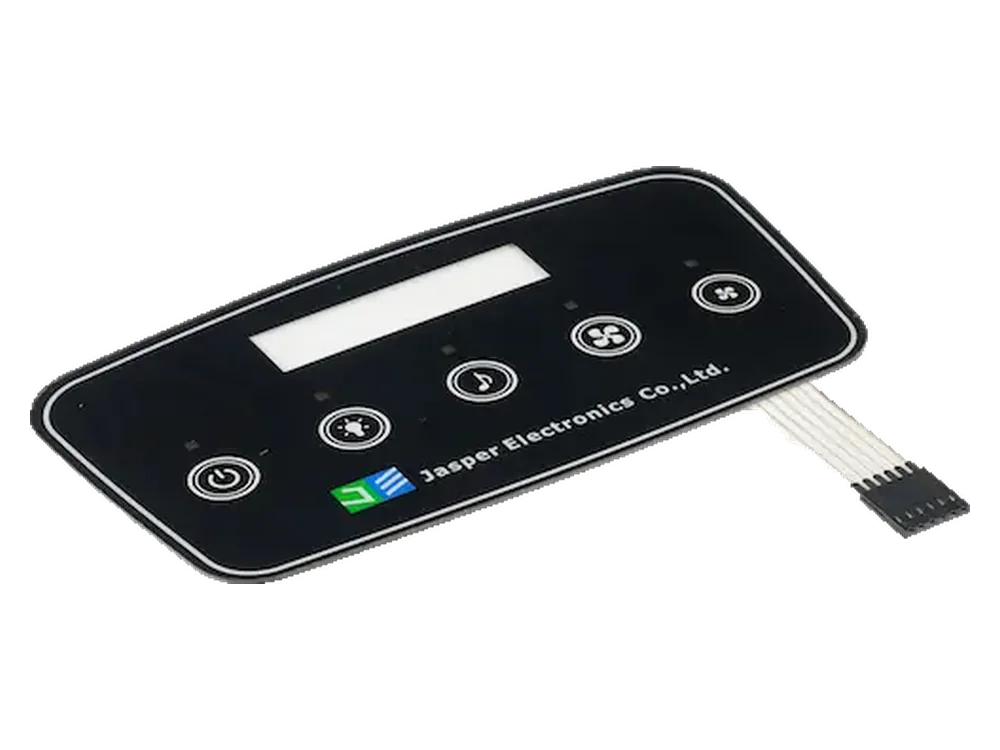
Coordinate Icons, Lighting and Child-Interaction Rules
Approve icon visibility and command permission independently. Turning an icon off must not be treated as disabling its key, and detecting a touch must not automatically produce an “accepted” indication.
The following is an illustrative lighting and permission specification. External wiping is not the same state as an internal cleaning cycle.
| Machine state | Beverage icons | Cleaning/status indication | Input rule to implement |
|---|---|---|---|
| Ready | Available choices illuminated | Ready; cleaning entry identifiable | Accept an eligible beverage selection |
| Brewing | Selected beverage distinguished | Progress; Cancel identifiable if implemented | Reject new beverage requests; apply defined Cancel rule |
| External wipe lockout | Off | Wipe-lock indication remains visible | Reject wiping contact; no fluid-handling cycle starts |
| Internal rinse | Off | Rinse progress, distinct from wipe lockout | Host controls the cycle; beverage inputs disabled |
| Recovery or fault | Off | Recovery or fault indication | No beverage selection until defined re-enable conditions |
Review dead-front icons both illuminated and unilluminated under agreed ambient lighting and viewing angles. Check neighboring-icon leakage, glare, residue and visibility after cleaning. Record photographs with controlled exposure settings and the light-driver configuration. For the printed surface, specify graphic overlays against these viewing conditions without treating an overlay alone as a validated touch assembly.
High-impedance switching in an LED circuit can change capacitance and cause false detection. Include actual off, steady and dimmed lighting modes in touch checks; do not prescribe a universal PWM frequency.
Where children may reach the machine, define unintended tapping, held contact, simultaneous contact and accidental unlock attempts. Test the proposed entry and exit sequence. Do not label hidden icons or a long press “childproof.” Keep child-interaction requirements, cleaning lockout and appliance protective functions separate.
Review Host States and Electrical Loads
Validate transitions as well as steady operation. Switched inductive loads and supply coupling are possible interference paths. For this concept, test heater switching, pump starts, valve changes and lighting transitions with the actual supply, chassis and cable route.
The matrix below is an illustrative acceptance template. Assign procedure IDs, exposure conditions and acceptance limits before testing. Blank actual-result cells are intentional; they contain no test claims.
| Operating state | Interface contact/exposure | Electrical loads to reproduce | Expected input/host behavior | Acceptance evidence | Actual result |
|---|---|---|---|---|---|
| Startup/warmup | Untouched panel; repeat with damp surface and held key | Supply startup, heater switching, lamp startup | No beverage request before Ready; no queued startup touch | Startup trace, rejected events, release status | |
| Ready | Approved finger contact over defined residue | Heater maintenance and normal lighting | Each valid selection accepted once; release recorded | Key ID, press/release, accepted request, feedback | |
| Brewing | Released finger; neighboring-key taps | Pump, valves, heater transitions as configured | No repeated or queued drink; verify required Cancel behavior | Host decisions and load transitions | |
| Steam use | Condensation and runoff near fixed keys | Heater and steam-related loads as configured | No beverage command from moisture; only explicitly enabled controls respond | Exposure photos, key events, state trace | |
| Spill detected | Defined film bridging key areas | Loads present when spill occurs | Reject new beverages; existing process follows separately defined host response | Lockout entry, pending-request status, load record | |
| External wipe lockout | Cleaner-wet cloth across icons and bezel | Agreed idle loads and wipe indication | No beverage or rinse starts; wiping cannot unlock controls | Rejected events, exit attempts, indication | |
| Internal rinse | Accidental taps and surface contact | Rinse pump/valve sequence | No beverage selection or unintended cycle exit | Rinse state, rejected inputs, completion indication | |
| Recovery/restart | Residue; repeat with contact held | Power restoration and loads permitted by startup policy | Clear pending drinks; re-enable only after readiness, release and fresh input | Recovery duration, state transitions, first accepted request |
Keep touch detection, host permission and actual machine action distinguishable in the record. A lamp change alone cannot demonstrate that a pump command was accepted correctly.
Specify communication-loss and reset behavior, including stale events and a controller reporting “ready” before the host. For this example, prohibit replay of beverage requests after recovery. Define wiping-lockout entry before wiping starts and deliberate exit after recovery checks; a timer alone must not authorize a drink from a contact already present.
Approve the Production-Intent Front Panel
Approve a controlled build against the matrix, not an attractive isolated sample. Freeze cover, print, adhesive, sensor, controller/configuration, lighting, enclosure and host revisions using the custom capacitive touch panel design guide.
One liquid-tolerant reference implementation combines an MSP430FR2633 controller with an optimized sensor layout and software. Its results apply to that defined combination and test conditions; they do not establish the performance of a different coffee-machine panel.
Agree sample quantities, exposure repetitions, allowed missed or false events, response/release limits and recovery criteria. Retain measured values, failures, corrective actions and retest references. Repeat affected checks after changes to printing, bonding, LED drive, wiring or firmware.
Include representative users in interpreting Ready, Wipe, Rinse and Fault indications. ISO 9241-210 provides a human-centred design framework; it does not replace detailed appliance safety assessment. Record misunderstood states and whether the revised interface resolves them.
Frequently Asked Questions
Resolve scope, reuse and recovery requirements before comparing quotations.
Can a household model reuse a commercial coffee panel’s approval?
Reuse the requirements format, not the approval automatically. Compare operator access, cleaning products, exposure frequency, enclosure, power electronics and software. Document unchanged conditions and retest the differences before approving the household version.
What can purchasing send before a touch controller is selected?
Send the panel drawing, fixed-key map, cover concept, lighting states, exposure procedures and proposed host permissions. Request a scope-separated proposal, with controller selection, tuning, firmware and installed validation assigned rather than assumed.
Should the Cancel key remain active during a spill?
Make this an explicit appliance-level requirement. Demonstrate the required Cancel behavior under the defined contamination, including any controller-wide lockout. Where protection requires an independent control or protective function, an ordinary capacitive key is not its substitute.
Is a panel-wiping lockout the same as an internal cleaning cycle?
No. In this concept, wiping lockout rejects surface contact without starting fluid handling. An internal rinse is a separate host-controlled process that may operate pumps or valves. Give each state distinct entry, indication and exit rules.
Can the lighting mockup serve as the touch approval sample?
Use it for appearance review only unless it contains the approved sensing stack and electronics. Functional approval requires the production-intent cover, print, bond, sensor, controller configuration, lighting driver and installed host conditions.
What should happen when power returns during panel cleaning?
For this concept, require a non-dispensing startup state, discard pending beverage requests and re-establish controller-host readiness. Test a wet surface and a held contact during restart. Require released inputs and a fresh deliberate action before beverage selection resumes.
How should suppliers demonstrate that two proposals are comparable?
Ask both to complete the same state-and-exposure matrix, identify supplied and buyer-owned items, and quote against the same drawings and acceptance plan. Compare evidence coverage and exclusions, not unsupported labels such as waterproof or childproof.
Review My Appliance Panel Concept
Submit your panel drawing, fixed-key map, lit/unlit artwork, cover concept, controller/host boundary, load list, cleaning products and completed requirements matrix. Include prototype quantity, expected production quantities and commercial or household operating conditions.
Use Review My Appliance Panel Concept to send the package to JASPER. Identify which parts are buyer-supplied and which engineering and validation tasks you are asking to include in the quotation.
Ready to Start Your Project?
Tell us about your membrane switch, keypad, or graphic overlay requirements. Our engineering team will review your specifications and provide a detailed quote.