Specify a capacitive touch industrial control panel by operator tasks, installed machine states, and required host responses—not a generic “industrial-grade” label. Use fixed touch keys where the selected gloves, contaminants, mounting, and electrical loads can be validated; compare physical or hybrid inputs where they cannot.
Here, “touch panel” means fixed-function capacitive keys. Their key identities and press/release events need separate validation from any projected-capacitive (PCAP) coordinate-screen, edge, or multitouch tests.
Define the Operator Task and Control Functions
Write a command contract for each key before drawing the front panel.
An illustrative packaging-machine concept uses Mode, Next, Back, and Confirm beside a status display. Mode opens routine menus; these keys do not initiate motion or select safety modes. This is a requirements example, not a JASPER installation or test result.
Record permitted host states, whether each command commits on a qualified press or release, repeat behavior and accepted or rejected feedback. A button sensor’s binary detection state is not itself a machine command; that conversion requires a separate integration decision.
The following worksheet specifies proposed behavior. Blank result cells are for project measurements.
| Equipment task | Operating condition | Input and host requirement | Verification action | Evidence to record | Actual result |
|---|---|---|---|---|---|
| Browse a menu | Approved dry glove; machine loads running | One Next step per qualified press; release re-arms; no hold-repeat | Tap, hold, lift, then approach the adjacent key | Key ID, missed/duplicate steps, release and feedback delay | |
| Confirm a routine setting | Specified service-oil residue; editing enabled, then blocked | Accept Confirm once when permitted; visibly reject it when blocked | Apply documented residue; repeat the same input in both states | Residue preparation, detected events, host decision, stored value | |
| Clean the face | Specified cleaner and wipe; cleaning lock active | Wiping must not create accepted commands; lock remains visible | Wipe across keys; exercise the specified exit procedure | Sensor events, accepted-command count, recovery and unlock path | |
| Return after panel service | Approved support, harness route, and configuration restored | Correct mapping, released idle state, controlled startup | Reassemble; test every key and representative load transitions | Part/configuration revisions, assembly photos, event trace | |
| Recover from a power interruption | Finger held across an approved reset sequence | No queued confirmation; release and fresh touch required after synchronization | Compare untouched startup with held-touch startup and later release | Reset reason, host state, rejected stale input, recovery |
Identify Gloves, Contamination and Electrical Loads
Name actual contact materials and switched loads; category labels are not acceptance criteria.
A glove adds a dielectric layer. Specify its model, fit, layers, fingertip construction and new or worn condition. Compare clean, oily and cleaned states with a repeatable application method; oil, coolant and cleaning fluid are not interchangeable exposures.
Record contaminant identity, coverage, dwell, cleaning method, and whether operation must continue or be restricted. Test deliberate input and unattended exposure. Use the water and glove tuning guide for detailed contact-state preparation, not a universal sensitivity setting.
For electrical loads, record motor/drive and relay types, operating sequences, installed suppression, shared supplies, and cable routes. Identify which combinations occur during normal work and authorized maintenance.
Choose Touch, Physical or Hybrid Inputs
Choose by task performance and confirmation needs, not appearance.
Compare touch candidates for deliberate menu work with visible confirmation. Compare physical keys when operators must locate inputs by feel or the touch candidate fails required glove/contamination tests. A hybrid can reserve touch for menus and tactile keys for frequent routine actions. Rehearse identical tasks and record wrong selections, retries, and confirmation errors.
Emergency stops and safety functions are outside this selection exercise. ISO 13850 addresses emergency-stop design separately; ordinary touch or tactile keys are not substitutes for a validated safety-related control system.
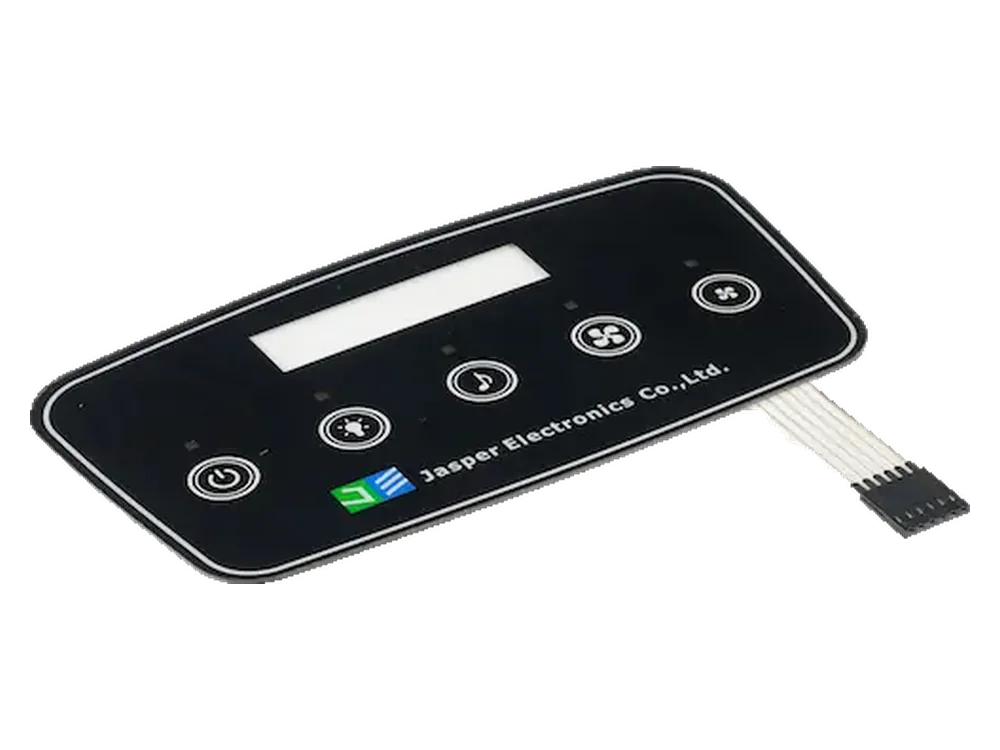
Use JASPER’s custom capacitive touch panels page as the sourcing starting point. The quotation should identify the supplied layers and electronics rather than imply a complete machine-control system.
Coordinate Mounting and Host Behavior
Validate mechanical support and command handoff as one installed configuration.
Unintended air gaps, cover separation and nearby grounded structures can change capacitive sensitivity. Check support, bond or gap condition, gasket compression, fasteners, metal clearances, tail strain relief and harness routing before and after service. Record assembly revisions and permitted tolerance extremes.
Compare nominal mounting with approved extremes of panel support and gasket compression using the same key sequence. Repeat after service reassembly. Investigate changed detection, release, or false events before adjusting firmware.
Assign cover/support drawings to the mechanical owner; electrodes and tail to the sensor owner; acquisition and diagnostics to the controller owner; press/release qualification to the touch-firmware owner; display hardware and status rendering to the display/interface owner; and permissions, execution, and acknowledgment to the host owner.
The custom capacitive touch panel design guide covers the wider drawing package. For quoted HMI assembly scope, distinguish physical integration from controller firmware, host programming, and machine validation.
For the illustrative Confirm key:
qualified press → host permission check → accepted/rejected acknowledgment → release → re-arm
One hold must not produce repeated confirmations. A rejected input must not queue for later execution, and changing host permissions must not turn a held key into a new action. Define simultaneous-key, missing-release, reset, and communication-loss handling. Distinguish command acceptance from detection; show pending and completed states when execution is delayed.
Validate the Real Machine Operating States
Compare switching transitions as well as steady running, both without touch and during intentional input.
Switched inductive loads and coupling through power or signal lines can interfere with touch sensing. The following machine checklist is an example, not EMC qualification. Use OEM-approved cycles and qualified personnel; do not defeat guards or remove protective earth for a comparison.
| Load/state comparison | Detection events to exercise | Host behavior to verify | Evidence to record |
|---|---|---|---|
| Loads disabled versus steady running | No-touch observation; each key’s press, hold, release | No unintended command; permitted input accepted once | Per-key signal/noise where available, event counts, machine state |
| Motor stopped → starting → running → stopping | No touch; press before transition; release during transition | No extra menu step, missed command, duplicate, or stuck key | Actual drive status, synchronized touch/host log, relevant supply trace |
| Relay de-energized → energized → de-energized with the real load | No-touch trial; Next held across make/break, then released | No additional step or lingering pressed state after release | Relay/load identity, switching timestamps, installed suppression, event log |
| Motor/relay switching with display and lighting changes | Tap and release during authorized overlapping transitions | Required input behavior maintained, or specified fault response; no false command | Switching sequence, display/lighting state, faults, accepted/rejected commands |
| Approved supply interruption and restoration | Untouched reset; held-touch reset; release and fresh press | No stale Confirm replay; commands restricted until synchronization | Controller/host reset reasons, startup states, first accepted input |
Vary touch timing across transitions instead of repeating one phase. Combine relevant load cases with approved glove and contamination states; separate passes are not the combined-condition test.
Synchronize key ID, raw/baseline/delta data where available, qualified press/release, host decision, feedback, load status, and reset/fault records. Define sample count, trial count, no-touch observation duration, and detection/release/recovery limits before testing. Count failures against attempts or exposure; “none observed” applies only to the recorded test.
Agree whether each state requires continuous operation or permits an indicated temporary restriction. Do not substitute lockout for a requirement to keep operating.
These checks do not establish an industrial rating or replace applicable equipment EMC and environmental testing.
Frequently Asked Questions
The following answers clarify procurement and acceptance boundaries for this fixed-key interface.
What should we submit before a controller is selected?
Send the key map, cover and enclosure drawings, glove and contaminant requirements, load states, proposed host interface, quantities, and expected command behavior. Identify controller selection as an open responsibility.
Can one glove approval cover every shift?
Only when the approved specification covers the actual models, layers, fit, and conditions used. A different glove or contamination state needs review rather than automatic acceptance.
Does an IP rating prove oily or wet touch operation?
No. IEC 60529 classifies enclosure protection; validate touch detection, release, and host behavior under each specified contaminant separately.
Must the panel identify oil automatically?
Not necessarily. Specify whether operation must continue with oil present, be restricted, or resume only after cleaning. Do not assume automatic oil recognition; any such function needs controller-specific evidence.
Should a held key repeat after power returns?
For the illustrative menu interface, no. Require release and a fresh qualified touch after controller-host synchronization; validate this rule rather than assuming reset supplies it.
Can a physical click confirm that the machine accepted a command?
No. Treat it as local input feedback; provide separate host acknowledgment for permitted, rejected, pending, and completed actions.
Which checks should follow panel replacement?
Verify approved part and firmware revisions, mapping, mounting, harness route, startup, every key’s press/release, and representative motor/relay transitions. Retain the service record.
Submit the Machine Conditions with Your RFQ
Submit drawings and operating-state requirements together so the requested assembly and validation responsibilities are clear.
Include the enclosure/stack drawings, fixed-key layout, controller/host interface, glove models, oil and cleaning conditions, motor/relay/supply matrix, mounting and service method, required feedback, and prototype, production-batch, and annual quantities.
Ready to Start Your Project?
Tell us about your membrane switch, keypad, or graphic overlay requirements. Our engineering team will review your specifications and provide a detailed quote.