A PCBA manufacturing release package is the approved set of files and instructions that defines what a manufacturer may build, program, inspect and deliver. Update its controlled baseline whenever an authorized change alters that definition. A drawing correction may require a document revision without changing the physical board revision; a firmware or test change may leave the PCB unchanged but still require a new release. Decide the affected items, approved combinations and production effectivity before releasing files, using your company’s document-control rules and contractual requirements.
- Why an Unclear Revision Decision Creates Manufacturing Risk
- Define the Controlled Contents of a PCBA Release Package
- Establish the build definition
- Separate release identity from product identity
- Distinguish Editorial Corrections from Manufacturing Changes
- Assess BOM, Layout, Firmware and Test-Requirement Changes
- Review the authorization, not only the component
- Set Effectivity for Inventory, Work in Progress and New Orders
- Separate containment from final disposition
- Record Approvals, Superseded Files and Allowed Combinations
- Control permitted combinations and historical access
- Evaluate the Release Package Against Ten Criteria
- Use a Six-Step Change Review and Handoff
- Step 1: Register the proposed change
- Step 2: Map items and production populations
- Step 3: Approve the technical disposition
- Step 4: Agree effectivity and commitments
- Step 5: Publish the controlled release
- Step 6: Verify implementation and close
- Issue a Release Manifest the Manufacturer Can Acknowledge
- A completed illustrative manifest
- Require an execution-specific acknowledgment
- Eight Reasons to Hold or Escalate a Release
- Prepare the Next Manufacturing Handoff
Why an Unclear Revision Decision Creates Manufacturing Risk
An unclear revision decision leaves purchasing, production and quality working from different definitions of the same assembly. The immediate risk is not an untidy folder. It is buying material that production cannot use, programming an incompatible image, or accepting boards against the wrong requirement.
Consider a controller whose firmware changes while its copper layout remains identical. Keeping the bare-board revision is reasonable; telling the manufacturer that “nothing changed” is not. The programming image, compatibility record and affected test instructions still need review. Conversely, revising every unchanged file merely to match a new letter can hide the actual engineering change.
Treat the release review as a decision about manufacturing authorization, not file naming. Ask who may approve the change, what evidence supports it, which products it affects, and what happens to existing stock. Evaluate material commitments, tooling, rework, verification and delivery impact together, rather than comparing only the cost of replacing a component.
Define the Controlled Contents of a PCBA Release Package
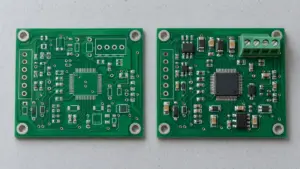
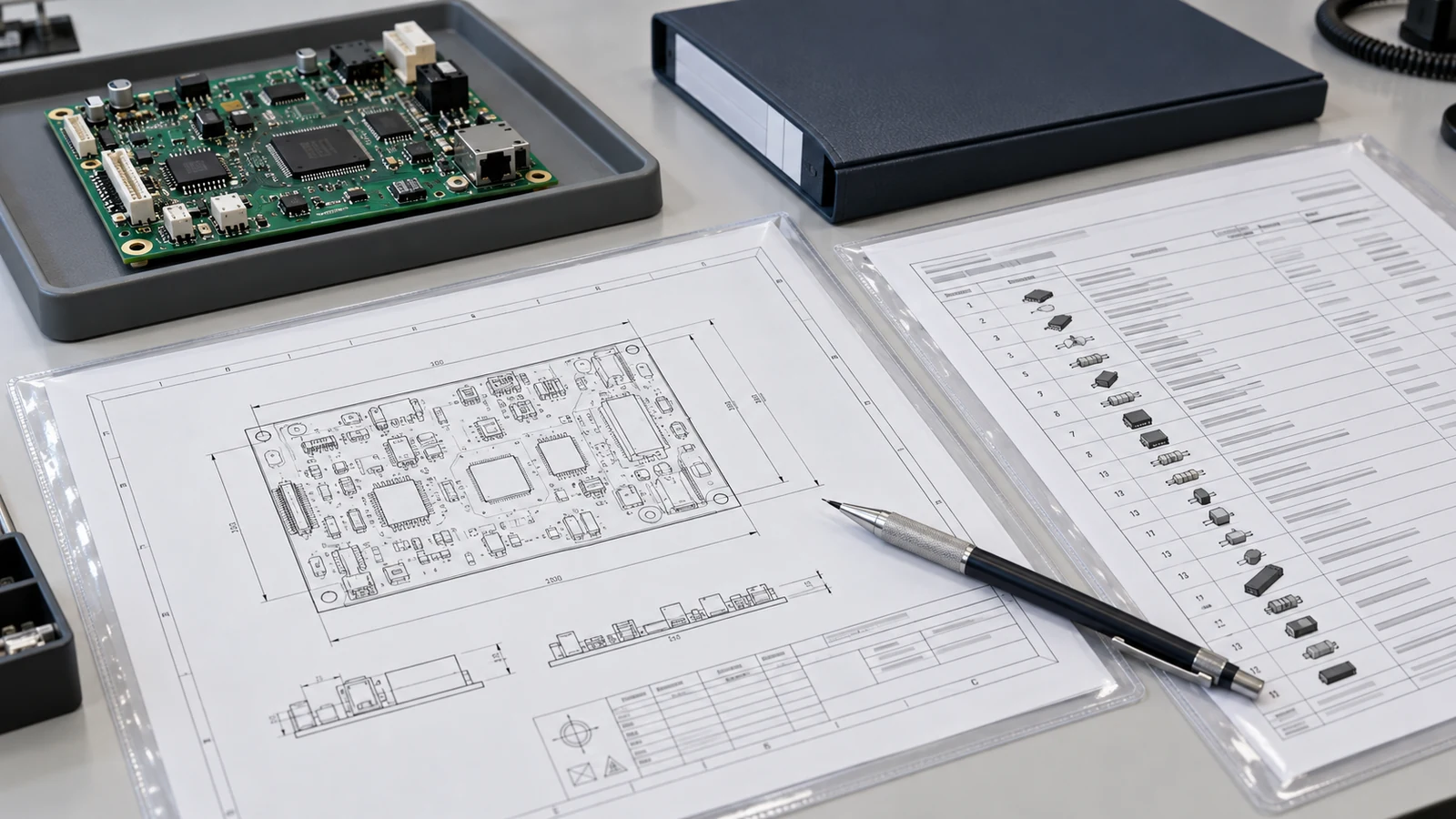
A PCBA manufacturing release package should identify the approved manufacturing baseline and every referenced item needed for the agreed build scope. Maintain separate identities for the bare PCB, assembled product, individual documents, firmware, test resources and release manifest; their revision identifiers do not have to match.
The referenced supplier distinguishes PCB production data, the bill of materials and the component placement list: the BOM identifies parts against reference designators, while the placement list defines position, rotation and board side. Use that separation when deciding what a change actually affects.
Establish the build definition
Include the agreed board-manufacturing data and fabrication requirements; the BOM and approved alternatives; placement data; and assembly drawings covering orientation, do-not-populate positions and special operations. Name the assembly part number and variant so a manufacturer does not have to infer the product from a folder name.
For programmed or tested assemblies, include or reference the approved firmware image, programming instructions, configuration data, acceptance requirements, test procedures and applicable fixture or test-software revisions. Add labeling, packaging and integration requirements when they belong to the contracted scope. State non-applicable operations explicitly in the scope rather than leaving an unexplained missing file.
Separate release identity from product identity
Use the package identifier to bind a specific combination of controlled items. For example, a release may contain PCB revision B, assembly revision D, firmware 2.4.1 and test procedure 07. That combination is valid only when the compatibility decision authorizes it; matching revision letters is not the acceptance criterion.
Keep editable engineering sources under design control, and identify the manufacturing outputs that are authoritative for execution. A source-control commit can identify the design snapshot, but the manufacturer also needs the released outputs and their approval status. Record any translated machine program or supplier work instruction derived from those outputs, with its owning organization and source baseline.
Distinguish Editorial Corrections from Manufacturing Changes
An editorial correction changes presentation without changing the product definition, manufacturing interpretation or acceptance decision. A manufacturing change alters what may be made or how conformity is established. The approval authority must classify the actual effect, not accept “typo” or “minor” as sufficient justification.
NASA’s configuration-management guidance distinguishes major and minor engineering changes and treats authorized waivers separately from baseline changes. These distinctions are useful reference concepts, not a universal PCBA revision alphabet or a substitute for your company’s adopted requirements.
A spelling correction in a nontechnical heading may leave the assembly revision unchanged. Still identify the corrected document through the revision, version or controlled-correction mechanism your system permits. Some contracts or drawing-control rules require a drawing revision for every released-document change. Do not silently overwrite an issued file.
Changing “top” to “bottom,” reversing a polarity note, correcting a component value, or adding a missing acceptance condition can change manufacturing behavior even when the author calls it a correction. Review affected production and decide whether a hold is needed before issuing the replacement instruction.
Separate permanent changes from temporary exceptions. A deviation should specify the affected requirement, permitted difference, quantity or production scope, expiry condition, approval and verification. It does not silently become the next permanent baseline. Likewise, changing requirements does not automatically authorize shipment of nonconforming stock.
Organizations may use engineering change orders (ECOs), manufacturing change orders (MCOs) and document change orders (DCOs) for different controlled objects; Arena describes these as alternative change mechanisms. Use the mechanism your organization has approved. Where interchangeability or product identity changes, ask the design authority whether a new assembly part number is needed instead of merely advancing its revision.
Assess BOM, Layout, Firmware and Test-Requirement Changes
BOM, layout, firmware and test changes require an impact review across the release package, even when only one file was edited. Use the matrix below as a review tool, then record which affected items change and which remain valid with supporting rationale.
| Change Type | Affected Release Item | Engineering Review | Effectivity Question | Record Required |
|---|---|---|---|---|
| BOM substitution | BOM, approved-parts list; assembly, programming or test documents when affected | Compare exact parts, electrical behavior, footprint, thermal limits and compatibility; define qualification evidence | Is the alternative already authorized for this configuration, or does approval apply only to named lots? | Substitution approval, qualification reference, revised BOM or bounded deviation, material disposition |
| Layout update | PCB data, fabrication drawing, placement file; stencil, assembly drawing and fixtures when affected | Review connectivity, geometry, interfaces, manufacturing outputs and verification coverage | Which bare-board lots and assembly orders may use the new layout, and what happens to old boards? | Design approval, affected-output list, tooling decision, verification record and cut-in boundary |
| Assembly-note change | Assembly drawing and derived work instructions or inspection instructions | Decide whether wording changes the actual operation, orientation, material or acceptance interpretation | Have units already passed the affected operation under the previous instruction? | Redline, classification rationale, approval, instruction replacement and WIP disposition |
| Firmware update | Binary, programming instruction, configuration map, release notes and affected tests | Review hardware compatibility, initialization, retained data, functional changes and verification | Which unprogrammed, programmed, finished or shipped units require action? | Approved image identity, compatibility decision, programming and verification records |
| Test-limit change | Acceptance specification, test procedure, limits file, test software and reports | Confirm design authority for the limit; evaluate method, conditions and affected acceptance decisions | Must earlier units be reviewed or retested, and can their original measurements support reassessment? | Requirement approval, validated test revision, retrospective assessment and disposition |
| Variant addition | Variant BOM, assembly identity, population instructions, firmware, labels and tests | Approve the complete configuration and exclusions without assuming the base product’s approval transfers | Which order lines and identifiers distinguish the new variant from existing stock? | Variant authorization, allowed-combination record, labeling rule and manifest update |
Review the authorization, not only the component
Buying a part already allowed by the released BOM does not necessarily create an engineering change. Adding a new alternative to that authorization is different. Record the actual fitted material through the agreed build traceability, even when no product revision changes.
For layout changes, determine which outputs and production resources must be regenerated or revalidated; do not demand a new stencil solely because the package number changed. For test changes, distinguish a changed product requirement from a corrected test implementation. Never widen a limit simply to convert unexplained failures into passes. Preserve original measurements and identify any subsequent reassessment separately. Reuse earlier data only when its measurement conditions and coverage support the new decision; a revised report cannot supply a test that was never performed.
Set Effectivity for Inventory, Work in Progress and New Orders
Effectivity identifies the products or production events to which a released configuration applies. It does not, by itself, decide whether existing material may be used, reworked or shipped. State both the cut-in boundary and the disposition of each affected population.
Effectivity can be defined by date, lot, serial number, manufacturing sequence or block, subject to the traceability system’s configuration. Choose a method the factory can execute and reconcile. These are implementation options, not mandatory PCBA quality grades.
| Effectivity type | Useful production boundary | Control needed |
|---|---|---|
| Date | A defined cutover at a named production event | Specify the event, time zone and treatment of work crossing the boundary |
| Lot number | Identified batches remain internally controlled | Define the product and lot identifiers; split or relabel a lot before mixing configurations |
| Serial number | Individual units need different configurations or retrofit decisions | Specify inclusive ranges, exclusions and the relevant assembly or end product |
| Manufacturing sequence number | A planning system assigns a controlled manufacturing sequence | Confirm that the sequence maps to actual units; do not assume chronological completion |
| Block number | A program defines a group of units as a controlled block | Define block membership and its mapping to production records |
Define effectivity boundaries explicitly: individual values, bounded ranges, separated ranges or open-ended ranges may be appropriate. Record planned effectivity separately from the actual production cut-in. An approval date does not specify whether cutover occurs at material issue, assembly start, programming or final acceptance. Tie purchase-order and work-order lines to the selected configuration; ‘all new orders’ does not resolve an existing order that has not started.
Separate containment from final disposition
First identify purchased components, bare boards, kits, partly assembled units, programmed units, finished goods and relevant shipped products. Place uncertain populations on hold. Then authorize continued use under the old configuration, rework and reverify, return to supplier, or scrap, as applicable. A hold is containment, not a final disposition.
A useful worked example is a fictional 120-unit lot L061: 24 units are programmed, 36 are assembled but unprogrammed, and 60 are unstarted. A firmware cut-in applying to all of L061 must address all three groups. The first 24 need an approved update and verification route; the next 36 need the new image; the remaining 60 need the complete new build instructions. Decide separately whether an earlier finished lot remains deliverable.
Record Approvals, Superseded Files and Allowed Combinations
Approval records must connect the authorized change to its technical evidence, implementation scope and permitted configurations. A manufacturer acknowledging receipt is not the same as the design authority approving an engineering change, and neither proves that production has implemented it.
Assign reviewers according to impact: hardware engineering for the circuit and materials, firmware engineering for executable behavior, test engineering and quality for acceptance, and manufacturing and procurement for implementation and commitments. Add customer or other required approvals when the governing agreement calls for them. Identify the release authority rather than assuming every reviewer may authorize production.
Maintain a change history showing the previous and replacement item identities, reason, affected products, review evidence, approvals, effectivity and actual implementation status. NASA’s configuration-status guidance emphasizes current and historical configuration identities and change status through implementation.
Control permitted combinations and historical access
For the fictional controller, authorize assembly A100-STD revision D with PCB B, BOM D, firmware 2.4.1 and functional-test procedure 07. A legacy lot may retain assembly revision C with PCB B, BOM C, firmware 2.4.0 and procedure 06 when expressly authorized. An unlisted mixture is not approved just because each file was released separately.
Remove superseded files from active production selection while retaining them in the controlled archive for traceability and authorized legacy work. Ask the manufacturer to identify replaced workstation files, offline copies, printed instructions and derived machine programs. Verify the active selection for an affected job and record any legacy exception. Deleting history is not a reliable substitute for preventing unintended use.
Evaluate the Release Package Against Ten Criteria
A release-package review should test whether the manufacturer can identify and execute the approved configuration without making undocumented engineering decisions. Use these ten criteria to evaluate the handoff, not to rank suppliers by unsupported claims.
| Evaluation criterion | Good signal | Red flag |
|---|---|---|
| 1. Product identity | Assembly, bare board and variant are explicitly distinguished | One revision label is assumed to describe everything |
| 2. Controlled contents | The manifest identifies every required file or controlled reference | The recipient must assemble the baseline from email history |
| 3. Change classification | The record explains the actual effect and approval route | “Minor correction” is the entire justification |
| 4. Dependency review | Changed and retained items have documented decisions | Only the edited file was considered |
| 5. Compatibility | Hardware, BOM, firmware and test combinations are authorized | Independently released files are mixed without review |
| 6. Production effectivity | The boundary identifies products and execution events | “Use immediately” is the only instruction |
| 7. Existing-material disposition | Stock and WIP populations have owners and decisions | Old inventory is assumed usable or automatically scrap |
| 8. Acceptance evidence | Required verification and records match the change | A new requirement is approved without a verification plan |
| 9. Obsolete-file control | Active-use controls and legacy exceptions are demonstrated | “We deleted the email” is the only evidence |
| 10. Implementation closure | Affected jobs show the approved setup and configuration | Receipt of the ZIP is treated as completed implementation |
Use a Six-Step Change Review and Handoff
The change-review workflow should produce an authorized baseline, an executable cutover and evidence that the cutover occurred. Adapt the following six steps to your existing approval system; do not create a parallel process that bypasses it.
Step 1: Register the proposed change
Identify the current release, affected product and reason. Capture the proposed difference and any immediate containment. The change owner should state whether procurement, production or shipment must pause while the impact is assessed.
Step 2: Map items and production populations
Compare the proposal with the actual released baseline, not the latest working folder. Use the change matrix to identify dependent files, tools and test resources. Obtain stock and WIP status from manufacturing before choosing effectivity.
Step 3: Approve the technical disposition
Record compatibility, required verification and retained-item rationale. Decide whether document revisions, an assembly revision, a new part number or a temporary deviation are appropriate. Close technical questions through the designated authorities before authorizing the changed build.
Step 4: Agree effectivity and commitments
Specify the cut-in boundary and each existing population’s disposition. Assign responsibility for rework, replacement materials, verification, cost and schedule changes. Prevent a commercial acknowledgment from being mistaken for approval to use an unqualified alternative.
Step 5: Publish the controlled release
Freeze the approved outputs, issue the manifest and identify what it supersedes. Send the complete controlled package or an unambiguous controlled reference. Require the manufacturer to acknowledge the exact release and any unresolved implementation conditions.
Step 6: Verify implementation and close
Check the first affected job against the manifest, including program and test selection. Reconcile affected quantities, retained exceptions and actual cut-in records. Keep the change open until the specified implementation evidence and dispositions are complete.
Issue a Release Manifest the Manufacturer Can Acknowledge
A release manifest should bind the product identity, approved file versions, change authority, effectivity and execution conditions into one identifiable handoff. It is an index and authorization reference, not a replacement for the technical files it lists.
A completed illustrative manifest
The example below describes a fictional controller release. ECO-017 adds an approved U3 alternative while retaining the original part, and introduces firmware 2.4.1 with associated programming, test and labeling updates. PCB geometry is unchanged. The identifiers and approvals illustrate a project-specific system, not an actual JASPER build record.
| Manifest field | Completed example |
|---|---|
| Package and product | REL-A100-013; A100-STD assembly revision D; standard variant |
| Change and authorization | ECO-017; design, firmware, test, quality and operations approvals recorded; release authorized by the configuration owner |
| Controlled source | Immutable vault snapshot REL-A100-013; manufacturing outputs below are the execution baseline |
| Unchanged board and placement | PCB-B-fabrication.zip; PCB-B-placement.csv; retained under ECO-017 review |
| BOM and assembly drawing | BOM-A100-D.xlsx; ASSY-A100-D.pdf; U3 alternative qualification Q-U3-02 |
| Firmware and programming | A100-2.4.1.bin; PROGRAM-A100-03.pdf |
| Acceptance and test resources | FCT-A100-07.pdf; TEST-RUNNER-A100-07.zip; fixture FT-A100-02 |
| Label and compatibility record | LABEL-A100-04.pdf; CONFIG-A100-04.xlsx |
| Effectivity | Entire lot L061, work order WO-061, quantity 120; this release does not authorize later orders automatically |
| WIP disposition | Update and verify 24 programmed units; program and test 36 assembled units; build 60 unstarted units to release 013 |
| Legacy authorization | Finished lot L060 remains on release 012 under ECO-017; no other legacy use authorized |
| Superseded release | REL-A100-012 blocked for L061; retained in archive and accessible only for authorized L060 activity |
| Manufacturer acknowledgment | ACK-A100-013; receiver ME-01, manufacturing engineering; accepted 2026-09-21 at 10:00 UTC; setup verification required before resuming L061 |
| Implementation gate | IMPL-A100-013 must document the approved setup and reconcile all 120 units before ECO-017 closes |
The package field identifies the handoff; file entries identify executable content; effectivity selects the population; disposition authorizes action; and closure references locate the evidence. Existing U3 parts may remain only after confirming they meet the retained BOM authorization. When adapting the example, populate these fields from your controlled records rather than copying the example’s identities or permissions.
Require an execution-specific acknowledgment
A useful completed acknowledgment for this example reads: “ME-01, manufacturing engineering, 2026-09-21, 10:00 UTC: release REL-A100-013 is accepted for WO-061/L061, 120 units. The listed files are accessible, the programmed WIP update route is accepted, and release 012 is blocked for this work order. Lot L060 remains separately controlled. Setup verification will be recorded in IMPL-A100-013 before L061 resumes.”
Request the receiver’s identity, acceptance date and any exceptions with that acknowledgment. A reply saying only “files received” confirms transport, not agreement on effectivity, WIP handling or release readiness.
Eight Reasons to Hold or Escalate a Release
Hold or escalate a release when an unresolved issue could leave the manufacturer choosing the product definition or acceptance criteria. Limit the hold to the affected scope unless the uncertainty prevents that scope from being identified.
- Two files claim the same controlled identity but contain different manufacturing instructions.
- A corrected note changes polarity, board side or acceptance interpretation without an impact decision.
- A new component alternative lacks approval for the actual hardware and firmware combination.
- The proposed test change lowers rejection without an engineering explanation and authorized requirement decision.
- Production cannot identify which stock or WIP falls inside the effectivity boundary.
- A firmware update has no approved programming, compatibility or verification route for existing units.
- Superseded files remain selectable for affected jobs without a controlled legacy exception.
- Required approvals or implementation conditions are missing, but the order is marked ready to build.
Route technical uncertainty to the responsible engineering authority, acceptance uncertainty to quality and test owners, and material or schedule conflicts to operations and procurement. Record who can release the hold and what evidence is required.
Frequently Asked Questions
These release-package questions address revision identity, production cut-in and manufacturer confirmation. Apply the answers through the governing company procedures and the requirements agreed for the specific assembly.
Does every drawing correction require a new PCBA revision?
No, not every drawing correction requires a new assembly or bare-board revision. A presentation-only correction may leave the product unchanged, but the corrected document still needs the control action required by your procedure or contract. Changes affecting manufacturing interpretation, acceptance or interchangeability require an engineering impact decision.
Can firmware change without changing the board revision?
Yes, firmware can change while the physical PCB revision stays the same. Release the approved image with its programming instructions, compatible hardware and applicable test revisions. Your product-control rules determine whether the assembly identity also changes. Record which programmed, unprogrammed and finished units the update affects.
How should an engineering change apply to work already in progress?
Apply the change through an approved effectivity and disposition decision, not merely an email date. Identify each affected work order, lot or serial population and its completed operations. Decide what may continue, what needs a hold, and what requires rework or verification. Preserve original records alongside the resulting configuration.
What belongs in a release-package manifest?
A manifest needs the package and product identities, controlled file revisions, variant, approval reference, effectivity and existing-material dispositions. Include firmware, test resources and labeling when applicable, plus superseded-release treatment and acknowledgment requirements. It must identify the complete executable baseline, even when unchanged items are retained by controlled reference.
How can a supplier confirm that obsolete files are no longer in use?
The supplier should show that superseded files are blocked from active selection for affected jobs and that workstation, offline and printed copies are controlled. Confirm the replacement baseline on an actual affected setup. Keep historical files archived, with any authorized legacy use restricted to its stated population.
Does an already approved alternative component require another revision?
Not necessarily, when the exact alternative is already permitted for that assembly, variant and applicable effectivity. Verify the authorization rather than assuming that an earlier project’s approval transfers. Record the fitted material as required. Adding an alternative, changing its conditions or expanding its scope requires a new approval decision.
Can a test-limit change leave the hardware revision unchanged?
Yes, a test-limit change can leave the physical hardware unchanged, but the acceptance definition and affected test resources still require control. Obtain engineering approval for the requirement and assess earlier decisions. Determine whether retained measurements support reassessment or whether retesting is necessary; do not rewrite original results.
Must every file in the release package have the same revision?
No, separately controlled items can have different revision identifiers. The release manifest must identify the exact authorized combination and explain which items changed or were retained. Do not advance unchanged files solely for visual consistency unless your document system requires it, and never treat matching letters as compatibility evidence.
Is a temporary deviation the same as a permanent release change?
No, a temporary deviation authorizes a defined exception within stated limits; it does not automatically revise the permanent baseline. Identify the affected requirement, permitted difference, production scope, expiry, approval and verification. A permanent change must follow the applicable release process, and the deviation’s affected units must remain traceable.
Prepare the Next Manufacturing Handoff
Before the next PCBA handoff, prepare the current manifest, proposed change summary, affected-item matrix, stock and WIP status, compatibility decision and required approval records. Agree the release identity, cut-in boundary, disposition owners and manufacturer acknowledgment before authorizing changed production.
For a JASPER PCB assembly services enquiry, provide that controlled package with the requested assembly, programming, inspection and test scope. Use the review to establish the authorized build configuration and open decisions, rather than assuming a file upload alone authorizes production.
Ready to Start Your Project?
Tell us about your membrane switch, keypad, or graphic overlay requirements. Our engineering team will review your specifications and provide a detailed quote.