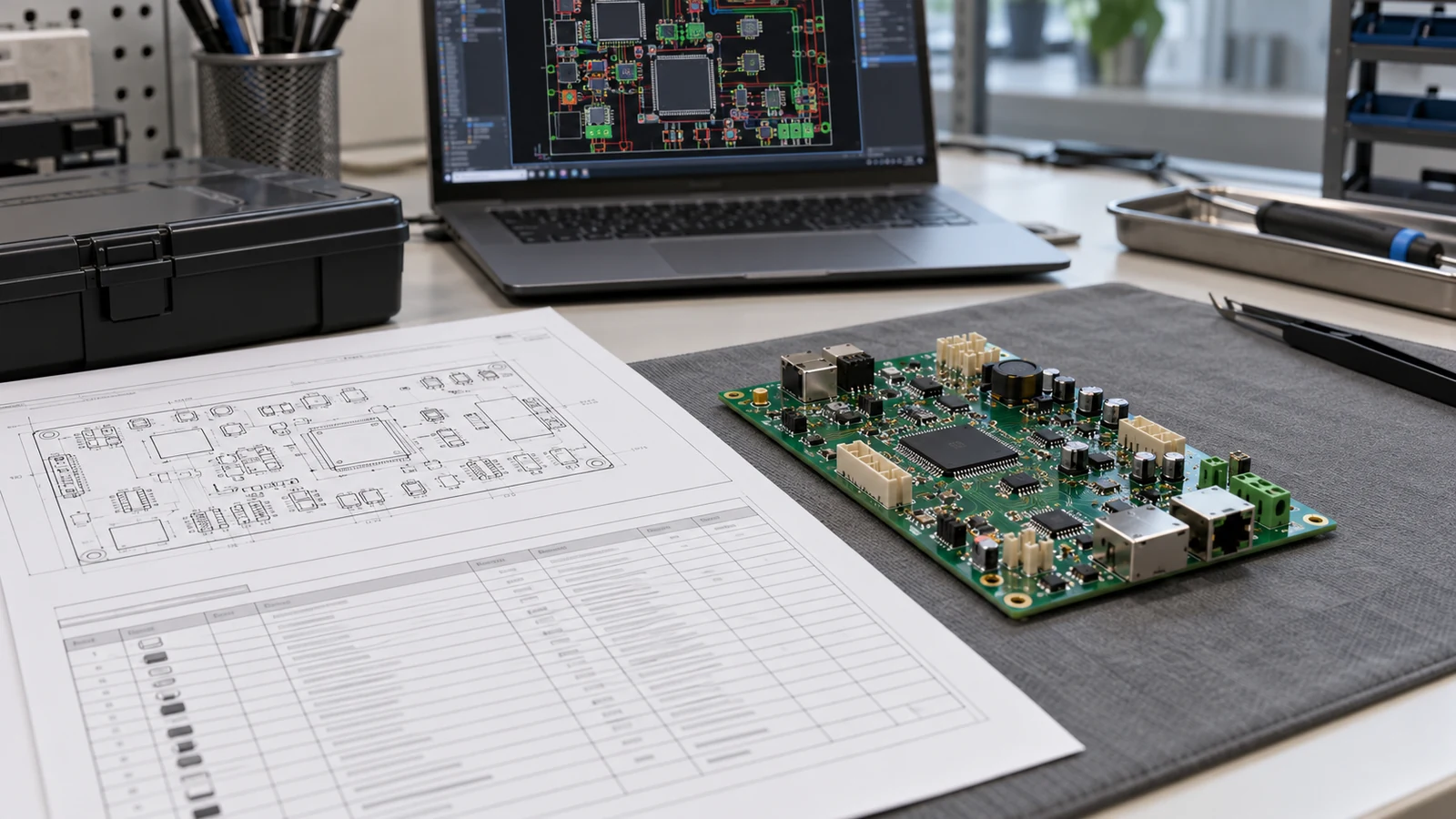
A PCB assembly BOM is the controlled parts list for one assembled board. Prepare it with complete manufacturer part numbers, manufacturer names, countable reference designators, per-board quantities, explicit do-not-populate status, and written substitution permissions. Identify the assembly, BOM revision, PCB revision, and build variant before releasing the file. Keep purchasing quantities separate from engineering quantities, and preserve unpopulated positions in the controlled assembly record. The release goal is straightforward: purchasing knows what it may buy, and manufacturing knows what it must fit.
- Build the BOM Around Complete Manufacturer Part Numbers
- Write Reference Designators That Can Be Counted and Matched
- Separate Per-Board Quantity from Purchase Quantity
- Represent DNP Positions and Assembly Variants Clearly
- Document Approved Alternatives Without Ambiguous Substitution
- A Copy-Ready BOM Field Template and Validation Checklist
- Completed example CSV
- Release checklist
- Specify the BOM Exchange Format and Release Identity
- Five Practical PCB Assembly BOM Scenarios
- Prototype with an optional circuit
- Standard and auxiliary-function variants
- Customer-supplied connector
- Requested packing or component change
- Repeat order using remaining stock
- Prepare the BOM for Engineering and Purchasing Review
Build the BOM Around Complete Manufacturer Part Numbers
A manufacturer part number, or MPN, should identify the exact component ordering code, not merely a device family or nominal value. Pair it with the manufacturer name, then add a description and package designation that help a reviewer detect an incorrect selection. The referenced supplier similarly distinguishes the MPN from the supplier part number in its BOM guidance.
For example, SN74LVC1G14DBVR identifies a Schmitt-trigger inverter in a five-pin SOT-23 package with package code DBV and a listed 3,000-piece large tape-and-reel configuration. The shorter family name SN74LVC1G14 does not identify that complete ordering configuration.
A connector needs the same precision. Part 282834-2 is a two-position, 2.54 mm-pitch PCB terminal block with through-hole solder termination. ‘Two-way terminal block’ is a description, not a purchasing identity. Use the applicable product drawing for design; a short BOM description does not replace it.
Use these examples as identification patterns, not as recommendations for a particular circuit. A real MPN does not establish suitability, stock availability, or authorization to substitute it into another design.
Keep an OEM internal part number in a separate column when one exists. It can connect the BOM to an approved component record, but the manufacturing release should also expose the permitted manufacturer and MPN, or provide an accessible controlled manufacturer list. A distributor stock code belongs in another field; changing distributors must not silently change the component.
Prepare the release in this order: select the assembly and variant, export physical components, resolve MPNs, apply population rules, assign substitution permissions, and approve the issue. Group rows afterward, keeping different ordering codes, supply owners, and approval conditions distinguishable.
Write Reference Designators That Can Be Counted and Matched
Reference designators identify physical component positions, so write them as explicit, individually countable tokens. For the template in this article, use comma-separated lists such as R1,R2,R5, with no ranges or quantity annotations. This is a proposed exchange convention, not a universal CAD naming requirement.
The reference list and per-board quantity answer different questions: which locations belong to the row, and how many components are fitted there? For a populated component row, the number of unique physical references must equal the fitted quantity. Check duplicates before counting; silently deduplicating an erroneous list can hide the original mistake.
| Reference entry | Interpretation | Release treatment |
|---|---|---|
R1,R2,R5 |
Three individually identified positions | Accept when all three share the row’s component and population rules |
R1-R5 |
Could mean an inclusive range | Expand to explicit references before export under this template |
R1,R2,R2 |
One repeated reference | Correct the source row; do not silently discard the duplicate |
R01,R1 |
Two different identifier strings | Preserve the released CAD identifiers; do not remove leading zeros automatically |
U1A,U1B |
May identify two schematic units of one package | Resolve through the CAD package mapping before calculating physical quantity |
Multi-unit symbols need a physical-package check. Several schematic units may belong to one package. If U1A and U1B are units of the same physical U1, the assembly BOM needs one package, not two devices. Use the design’s actual package mapping rather than blindly stripping suffixes from reference designators.
Within one released assembly and variant, a physical position should appear on only one effective BOM row. A multi-variant master can repeat that position across different variants, provided the variant is part of the record key. Similarly, components fitted on opposite board sides still need unambiguous board-level identities; side is not a license to reuse the same reference.
These checks validate the BOM’s own fields. Comparing its references against Gerber-associated data, placement files, and assembly drawings is a separate cross-file consistency review, not a reason to add coordinates or rotation to every BOM row.
Separate Per-Board Quantity from Purchase Quantity
Per-board quantity is the number of components fitted to one individual PCB in the selected variant. Purchase quantity is the amount ordered for a production job after inventory, agreed allowances, and purchasing constraints are considered. Keep both fields explicitly named; never overwrite the engineering quantity to accommodate a reel size.
Use the following calculations for discrete components:
Build requirement = fitted quantity per board × board build quantity
Net purchase need = max(0, build requirement + agreed extra pieces − usable allocated stock)
Purchase quantity = net purchase need adjusted to accepted MOQ and packaging multiples
For an illustrative job with two devices per board and 250 boards, the build requirement is 500 pieces. If the agreed extra quantity is 20 pieces and 70 acceptable pieces are already allocated, net purchase need is 450 pieces before minimum-order or packaging adjustments. The BOM still says Qty_Per_Board = 2.
The 20-piece allowance is illustrative, not a recommended attrition rate. Agree additional material with the assembler; count stock only when it meets the released identity and acceptance conditions and is reserved for this job. Confirm acceptable packing before converting net need into an order.
Declare whether a build quantity means individual boards or panels. For example, 25 panels containing four identical boards represent 100 boards; do not multiply by the panel count again after converting to boards. A mixed-design panel needs separate assembly identities and quantities.
Use ea to mean individual components in the example template. Do not mix pieces, reels, and sets in that quantity column. Materials consumed by mass, length, or volume belong in a separately defined manufacturing-material record with their own units and consumption basis. A DNP position contributes no fitted pieces, even though its reference remains documented.
Represent DNP Positions and Assembly Variants Clearly
A DNP position is intentionally not populated in the selected build. Preserve its identity and explicit population instruction in the controlled assembly record, while ensuring that it contributes zero fitted quantity. An empty cell, a hidden row, or a zero without a population instruction is not an adequate release decision.
CAD export behavior varies with the application and settings. A not-fitted component may remain in the design but be excluded from selected outputs, and a BOM exporter may offer a DNP exclusion option. Distinguish the controlled master from the agreed assembler import: an import may omit DNP rows, but the released build package must retain their instructions elsewhere.
Separate three variant operations: omitting a component, changing its parameters and replacing it with a different component. These changes require different checks.
| Component variation | BOM representation | Required release decision |
|---|---|---|
| Fitted unchanged | Selected MPN, explicit references, positive fitted quantity | Confirm the base component applies to this variant |
| Fitted with varied parameters | Selected MPN and revised descriptive parameters | Confirm that the purchasing identity still matches the changed requirement |
| Not fitted | Retained reference with DNP and zero fitted quantity |
Identify the selected variant and preserve the omission instruction |
| Alternate part selected | The variant’s selected exact manufacturer and MPN | Record the approved component change; do not buy both parts for one position |
In this article’s template, Reference_Count counts documented positions and Qty_Per_Board counts fitted parts. Thus, a row containing U3 can legitimately have Reference_Count = 1, Qty_Per_Board = 0, and Population = DNP. The populated-row equality rule does not apply to that row.
The example convention permits only POPULATE and DNP. An unresolved choice blocks release. In illustrative variants STD and AUX, U3 is DNP in STD and populated in AUX; export the ordered variant explicitly.
A BOM revision and a variant are separate identifiers. A revision changes the controlled definition; a variant selects a permitted configuration. Record both instead of asking manufacturing to infer the build from a filename such as “latest option.”
Document Approved Alternatives Without Ambiguous Substitution
An approved alternative is a named manufacturer and complete MPN authorized for a defined use. It is not a distributor recommendation, an engineer’s unreviewed candidate, or permission to purchase anything described as equivalent. Put substitution authority in a structured field and connect every permitted alternative to its approval record.
For this template, use NOT_PERMITTED when only the selected MPN is authorized, or APPROVED_LIST_ONLY when an accessible controlled list grants specific permissions. A proposal outside that list requires a written change decision before purchase or use. A blank alternatives field must never be interpreted as unrestricted permission.
Distinguish a packing option from a component redesign. SN74LVC1G14DBVT and SN74LVC1G14DBVR are specified as the same product in different carrier configurations: 250-piece small tape-and-reel and 3,000-piece large tape-and-reel respectively. That distinction supports evaluating a packing change; it does not authorize the change for a customer’s purchase order or manufacturing process.
The following is a completed example of a proposal record, not an authorization:
Primary manufacturer: Manufacturer of the SN74LVC1G14 family
Primary MPN: SN74LVC1G14DBVR
Proposed manufacturer: Same manufacturer as the primary part
Proposed MPN: SN74LVC1G14DBVT
Requested scope: EXAMPLE-CTRL-01; BOM C; PCB B; STD; U1,U2
Reason: Evaluate the manufacturer's smaller tape-and-reel option
Decision: PROPOSED_NOT_APPROVED
Approval record: NONE
Procurement instruction: Do not purchase or fit the proposed code without written approval
For an authorized alternative, record the approved manufacturer and MPN, applicable assembly and revisions, variant, affected references, approving authority, approval document identifier and revision, and any lot, quantity, or time limitation. State whether mixed primary and alternative parts are permitted within one board or production lot. Permissions for U1 do not automatically cover U2 merely because they currently share a row.
Review the characteristics relevant to the function: electrical limits, pin assignment, package and land pattern, temperature requirements, assembly compatibility, and any firmware or qualification dependencies. A nominal-value match is only a starting point. Where the same component is used in different functions, assess the proposed change for each affected use.
Keep the selected part unambiguous. Alternatives belong in a linked approval structure, not on extra populated BOM rows that double the buying quantity.
A Copy-Ready BOM Field Template and Validation Checklist
A PCB assembly BOM template should describe each field, its validation rule, and who relies on it. The matrix below is a recommended OEM release convention. It extends basic component identification with explicit population, revision, and authorization controls rather than claiming that every assembler requires identical column names.
| BOM Field | Expected Content | Validation Rule | Common Error | Downstream User |
|---|---|---|---|---|
| Manufacturer part number | Complete code, such as SN74LVC1G14DBVR |
Match the selected manufacturer’s ordering identity | Family name or shortened suffix | Procurement; component engineering |
| Manufacturer name | The component manufacturer identified for the complete MPN | Keep separate from distributor identity | Distributor entered as manufacturer | Procurement; receiving inspection |
| Reference designators | Explicit physical identifiers, such as U1,U2 |
No duplicate effective reference in the selected assembly and variant | Ranges, repeated references, or gate-unit counts | Manufacturing engineering |
| Reference count | Number of documented physical positions | Equal the count of unique, validated reference tokens | Assuming it always equals fitted quantity | Engineering; release review |
| Per-board quantity | Fitted pieces per individual board | Equal reference count for POPULATE; zero for DNP |
Order quantity or reel count | Material planning; production |
| Unit of measure | ea for discrete parts in this template |
Apply one stated meaning throughout the export | Mixing pieces and sets | Procurement; stores |
| DNP status | POPULATE or DNP |
Every component row has an explicit decision | Blank cell or color-only instruction | Assembly; inspection |
| Approved alternatives | Exact manufacturer/MPN list or controlled list reference; NONE when absent |
APPROVED_LIST_ONLY requires an applicable approval record |
“Any equivalent” or a supplier suggestion | Procurement; design authority |
| Revision and variant | Assembly ID, BOM revision, PCB revision, and selected variant | Keep the complete release identity with the exported data | Filename is the only revision evidence | Document control; production |
| Description and package | Functional description and package identification | Check agreement with the selected part; use the controlled footprint record for geometry | Similar description conceals a different package | Engineering; assembly preparation |
| Substitution policy and approval | Defined permission plus its controlled approval reference | No unauthorized substitution; no missing authorization behind an approved list | Email discussion mistaken for approval | Procurement; quality |
| Supply owner | ASSEMBLER, CUSTOMER, or NOT_APPLICABLE for a DNP row |
Assign responsibility for every populated line | Both parties assume the other will supply it | Buyer; material planning |
Completed example CSV
This illustrative three-line BOM demonstrates grouped devices, a customer-supplied connector, and a retained DNP position. EXAMPLE-CTRL-01 is a fictional assembly identifier, not a JASPER product or a validated circuit. The component codes and brief package descriptions come from the manufacturers’ product information.
Assembly_ID,BOM_Rev,PCB_Rev,Variant,Line,Manufacturer,MPN,Description,Package,RefDes,Reference_Count,Qty_Per_Board,UOM,Population,Substitution_Policy,Approved_Alternates,Approval_Record,Supply_Owner
EXAMPLE-CTRL-01,C,B,STD,10,SN74LVC1G14 manufacturer,SN74LVC1G14DBVR,Schmitt-trigger inverter,SOT-23-5 DBV,"U1,U2",2,2,ea,POPULATE,NOT_PERMITTED,NONE,NOT_APPLICABLE,ASSEMBLER
EXAMPLE-CTRL-01,C,B,STD,20,282834-2 manufacturer,282834-2,Two-position terminal block,Through-hole 2.54 mm pitch,J1,1,1,ea,POPULATE,NOT_PERMITTED,NONE,NOT_APPLICABLE,CUSTOMER
EXAMPLE-CTRL-01,C,B,STD,30,SN74LVC1G14 manufacturer,SN74LVC1G14DBVR,Unpopulated inverter position,SOT-23-5 DBV,U3,1,0,ea,DNP,NOT_PERMITTED,NONE,NOT_APPLICABLE,NOT_APPLICABLE
The example has four documented positions and three fitted components per board. NONE means no alternatives are authorized; NOT_APPLICABLE records an intentional non-applicability, not unfinished author content. Preserve the MPN on the DNP row to identify the controlled base component without purchasing it for this variant.
To use the structure, enter your released assembly identifiers, actual component identities, references, quantities, population instructions, and supply ownership. Add internal part numbers or controlled footprint identifiers when your release process uses them. Attach the actual alternative approval list rather than copying the proposal example as permission.
Release checklist
Before approval, verify exact manufacturer/MPN pairs; validate physical reference tokens; reconcile populated quantities and DNP zeros; confirm assembly, revision, and variant identifiers; check supply ownership; and verify that every permitted alternative has applicable written authorization.
The design authority owns component selection and substitution decisions. Manufacturing engineering confirms that the agreed export is interpretable. Procurement derives purchase quantities and sourcing actions from that release. Document control records the approved issue. A formatting check cannot authorize an unresolved engineering choice.
Specify the BOM Exchange Format and Release Identity
The BOM exchange format should preserve identifiers and population instructions without relying on visual formatting. Agree a spreadsheet or delimited-text layout with the receiving assembler, then verify the actual exported values. The referenced supplier documents spreadsheet and CSV inputs, but its importer requirements should not be assumed to describe another manufacturer’s system.
For CSV, quote a reference list such as "U1,U2" so that its comma does not create another column. RFC 4180 describes quoting for fields containing commas, line breaks, or quotation marks. It is an informational CSV format reference, not a mandatory PCB assembly quality standard.
Import MPNs, internal identifiers, and references as text. Check that leading zeros, hyphens, and significant suffixes survive reopening the file. Avoid merged cells, hidden decision columns, and color-only DNP indications. Use explicit values rather than formulas whose interpretation depends on another workbook.
Keep the assembly ID, BOM revision, PCB revision, and variant in the data, as the example does. Release the matching build documents under an agreed manifest. Coordinate origins, rotations, and board sides belong in placement data; polarity and special assembly instructions belong in their appropriate controlled records. The BOM must identify those dependencies without becoming an ambiguous replacement for them.
Five Practical PCB Assembly BOM Scenarios
A useful assembly BOM resolves the particular release decision facing the buyer or engineer. These five illustrative situations apply the field rules above; they are not customer case studies or claims about completed JASPER projects.
Prototype with an optional circuit
Retain the optional component references and identify their population state for the prototype. When the option is not being built, use DNP with zero fitted quantity. Keep separately purchased experimentation spares outside the assembly demand so they are not mistaken for placement instructions.
Standard and auxiliary-function variants
Maintain a master that distinguishes illustrative STD and AUX configurations. If U3 is omitted in one and fitted in the other, release the selected variant explicitly. A shared bare-board revision does not, by itself, identify the component population.
Customer-supplied connector
Mark the connector’s supply owner as CUSTOMER, preserve its exact manufacturer and MPN, and agree the quantity and delivery condition separately. Keep its fitted quantity in the BOM: customer ownership does not remove the component from the board’s assembly requirements.
Requested packing or component change
Record the supplier’s proposed code separately from the released selection. Determine whether the request concerns packaging or a different component, then obtain the relevant engineering and manufacturing decision. An availability problem does not automatically expand the BOM’s substitution permission.
Repeat order using remaining stock
Retain the released per-board quantity and verify whether the remaining stock is acceptable under the current revision and alternative permissions. Deduct only usable allocated pieces in the purchasing calculation. Reusing a previous quotation is not evidence that the current component selection is unchanged.
PCB Assembly BOM FAQ
The answers below use the same release convention as the template: one selected assembly variant, physical component references, explicit population states, and controlled alternatives.
Should a BOM contain manufacturer names as well as part numbers?
Yes. Record the component manufacturer alongside the complete manufacturer part number, and keep distributor names and stock codes in separate fields. This gives procurement an explicit identity to verify. An internal part number can remain useful, but it should lead to an accessible, controlled manufacturer and part-number selection.
How should multiple reference designators be listed on one BOM line?
List each physical reference explicitly with an agreed separator, such as R1,R2,R5. For the template here, avoid compressed ranges and verify that no reference repeats within the selected assembly and variant. Group positions only when their selected component, population state, and approval conditions match; count physical packages rather than schematic gate units.
Is BOM quantity the number per board or the total order quantity?
BOM quantity should mean fitted components per individual board for the selected variant, with that basis stated in the header. Calculate job demand and purchase quantity separately. Multiply by the board build quantity, then account for agreed extra pieces, usable allocated inventory, and applicable ordering constraints without changing the engineering quantity.
Should DNP components remain in the assembly BOM?
Keep DNP positions in the controlled assembly record, with an explicit do-not-populate instruction and zero fitted quantity for the selected variant. The assembler’s import file may exclude those rows when its agreed format requires that approach. Preserve their identities and instructions in the accompanying release documentation rather than silently deleting them.
How should an approved alternative differ from an unrestricted substitute?
An approved alternative names an exact manufacturer and part number and has written authorization for a defined assembly, revision, variant, and scope. An unrestricted substitute leaves those decisions open. Use a controlled approved list or prohibit substitution; a supplier suggestion or nominal-value match does not create permission to purchase or fit another part.
Can the same manufacturer part number appear on more than one BOM line?
Yes. Separate rows are appropriate when the same part has different population states, supply owners, or approval conditions. The example separates fitted and DNP positions using the same MPN. Within the selected assembly and variant, each physical position must still belong to only one effective row, with its own unambiguous build instruction.
Does a different packaging suffix require approval?
Treat a changed ordering code as a review item, even when the manufacturer describes it as the same component in different packing. Check the project’s purchasing permission and the assembler’s handling requirements. Record the approved code or documented packaging exception before use; do not remove the suffix from the BOM to bypass review.
Can a supplier part number replace the manufacturer part number?
Keep a supplier part number as a sourcing aid, not as an ambiguous replacement for the controlled component identity. A supplier listing should resolve to the exact manufacturer and MPN permitted by the release. Preserve that mapping when distributors or packaging offers change, and obtain approval whenever the proposed component identity changes.
Prepare the BOM for Engineering and Purchasing Review
Prepare one clearly identified PCB assembly BOM with the matching board documents, selected variant, job quantities, supply ownership, and alternative permissions. Ask engineering to close component and population decisions before procurement commits to material. Ask the assembler to confirm how DNP rows and reference lists will be imported.
For a JASPER enquiry, use PCB assembly services to frame the review around your released BOM and intended build scope. Include the proposal record for any requested change, but keep it separate from authorized selections. The next useful decision is a documented agreement on what will be bought and fitted—not an assumed approval hidden in a spreadsheet.
Ready to Start Your Project?
Tell us about your membrane switch, keypad, or graphic overlay requirements. Our engineering team will review your specifications and provide a detailed quote.