
PRODUCT KNOWLEDGE
What Is a Graphic Overlay?
A graphic overlay is the printed outer surface of a control panel. Usually made from polyester (PET) or polycarbonate (PC) film, it identifies controls, frames displays and protects the graphics. It can cover a membrane switch, but it is not the electrical switch itself.
Read the guide ↓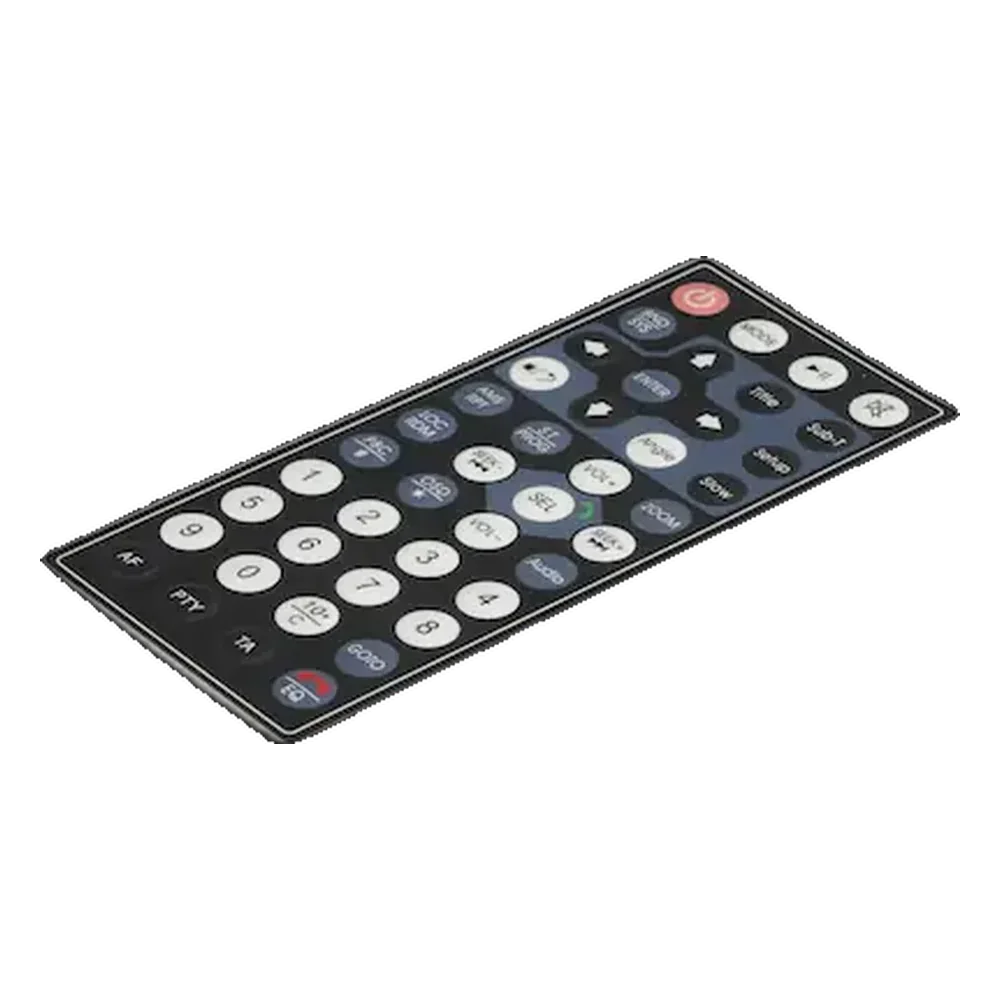
In this guide
- What a graphic overlay does
- The layers in a typical graphic overlay
- Choosing PET or PC film
- How graphic overlays are manufactured
- Windows, embossing and illuminated graphics
- Adhesive and mounting are part of the design
- Graphic overlays and related front-panel products
- Where graphic overlays are used
- Specifications and tests that matter
- How to specify a graphic overlay for quotation
- Frequently asked questions
What a graphic overlay does
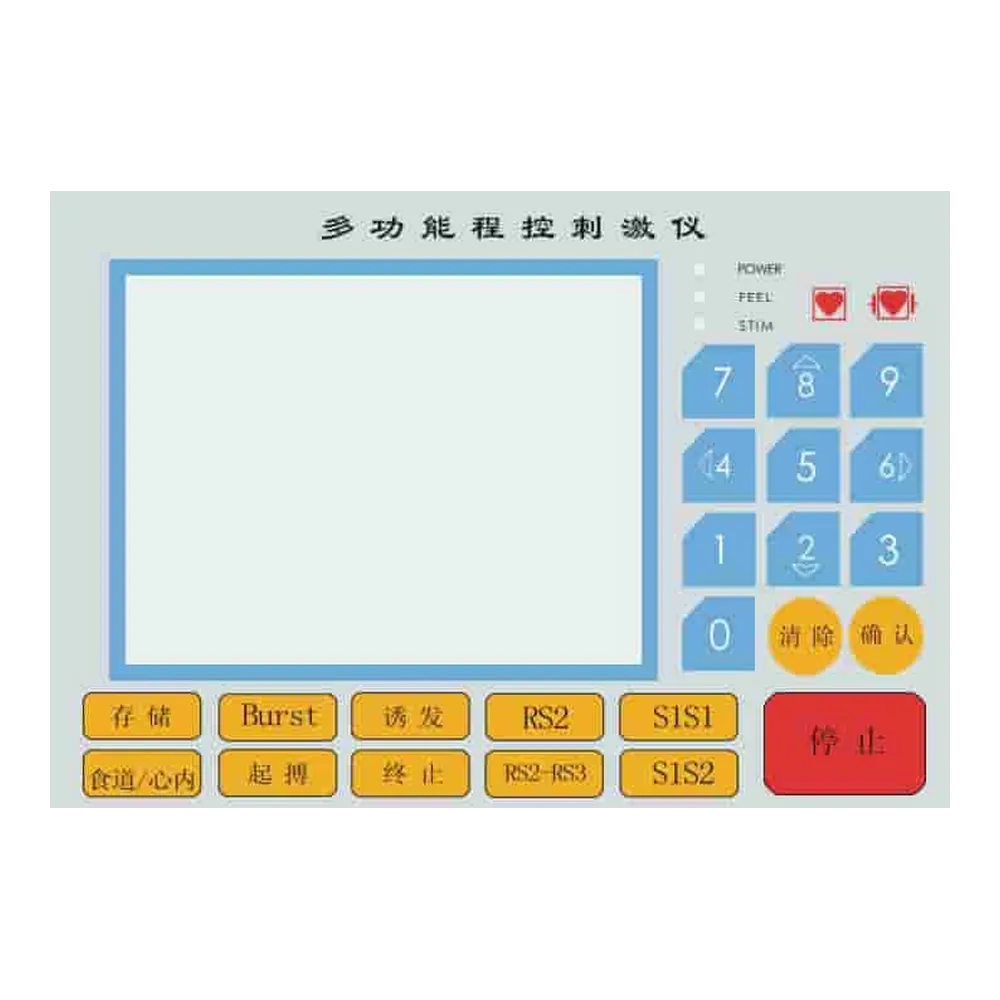
A graphic overlay turns a bare equipment face into an understandable interface. Printed legends tell an operator what each control does; colors group functions; windows reveal a display or indicator. The same piece can carry a product logo, operating instructions and alignment features without adding separate labels around every button.
The overlay normally bonds to a supporting panel or a switch assembly with pressure-sensitive adhesive. Some areas remain unbonded so a key can move or a window can stay optically clear. The visible surface may be smooth, textured or selectively finished. Those choices affect readability, cleaning and the way the equipment feels in use.
An overlay is not a complete switch. A printed start symbol does not create an electrical contact. In a membrane keypad, the circuit and contact mechanism sit below the graphic layer. In a capacitive interface, sensing electrodes and electronics detect a touch through the front material. A passive equipment label may have no sensing function at all. The membrane switch explanation covers the contact layers and electrical operation.
For a new design, define the overlay as a functional part rather than a picture. Its drawing needs a finished outline, material, mounting interface, graphic locations and window requirements. Artwork alone cannot establish how the part will fit the enclosure.
The layers in a typical graphic overlay
A typical flexible overlay combines a transparent film, printed graphics and a mounting adhesive. The print is often placed on the rear face of the film, so the operator views the artwork through the clear material. This is called subsurface or second-surface printing.
| Element | Function | What to specify |
|---|---|---|
| Exposed surface or hardcoat | Controls gloss, texture, scratch resistance and cleaning behavior | Finish, approved appearance sample and cleaning exposure |
| PET or PC film | Carries the graphics and provides the physical front surface | Material grade, thickness and tolerance |
| Reverse-printed colors | Creates legends, symbols, borders and backgrounds | Artwork revision, color references and registration requirements |
| Opaque or translucent print regions | Blocks unwanted light or transmits light through selected features | Window and illumination zones, including the off-state appearance |
| Pressure-sensitive adhesive | Bonds the overlay to the intended support | Adhesive construction, cutouts and actual bonding surface |
| Release liner | Protects the adhesive before assembly | Peel access and the assembly sequence |
Not every overlay needs every layer. A surface-printed identification label has a different protection strategy from a reverse-printed control face. A clear display area may have no ink but still retain the base film; a physical opening removes the film as well. These are different constructions and should have different drawing symbols.
The release liner is removed during installation. Do not include its thickness in the installed stack. Likewise, specify whether the quoted finished thickness includes ink and adhesive: a film-only measurement is not the complete mounting height.
Choosing PET or PC film
PET and PC are the main film families used for flexible graphic overlays. Select the exact film and surface treatment around the panel’s mechanical movement, cleaning chemicals and viewing conditions. A resin name by itself is not a complete material specification.
| Design question | PET film route | PC film route |
|---|---|---|
| Will the face flex over a pressed key? | A frequent starting point for repeatedly flexed key areas | Assess the chosen grade and key geometry under repeated movement |
| Is a formed or embossed shape required? | Use a film and coating intended for the forming operation | Useful forming options exist; confirm coating and ink compatibility |
| Will the panel face repeated wiping? | Hardcoated grades support a durable exposed surface | A suitable hardcoat can improve the exposed surface; plain PC is not equivalent |
| Are clear windows required? | Specify haze, texture and clear-window treatment | Specify optical grade, surface finish and display appearance |
| Is outdoor exposure expected? | Select a construction intended for ultraviolet exposure | Select an outdoor-suitable grade and coating rather than assuming all PC is suitable |
Thickness is a dimensional choice, not a universal list of industry grades. Individual film catalogs provide particular stock gauges; across the market there is no single compulsory sequence. For example, a textured PET film family offers 0.15 mm, 0.20 mm and 0.28 mm gauges. These are options within that family, not the only possible overlay thicknesses.
For a flat industrial control face where body and handling stiffness matter, use 0.28 mm PET as an upper-stock-gauge comparison sample, then compare it with 0.20 mm on the actual assembly. This is a screening benchmark, not a default for every keypad. If the film must move over a dome, prioritize acceptable assembled key force and travel; increasing thickness can make the key harder to operate.
Keep material, coating and printed construction together during evaluation. A chemical-resistance result for one coated film cannot automatically describe an uncoated film, a different ink system or the adhesive edge.
How graphic overlays are manufactured
Graphic overlay manufacturing converts approved artwork into a printed, shaped and adhesive-backed part. The practical sequence is artwork review, printing, curing, adhesive conversion, forming or cutting, and final inspection. The exact order changes with the construction.
Artwork review comes first. Keep outlines, print colors, clear windows, adhesive openings and emboss features on separate identified layers. A vector file supports clean edges and controlled geometry, while a dimensioned drawing controls the physical part. Convert or supply fonts correctly, and retain a revision identifier so the graphics and mechanical drawing describe the same design.
Screen printing applies defined ink layers and is useful for controlled opacity, spot colors and translucent regions. Digital printing can suit changing artwork and multicolor images. Neither process alone guarantees color accuracy: the film, ink system, backing color, curing and inspection lighting all affect the result.
Reverse printing places the graphics behind the film. The print order is therefore planned from the viewer’s side, including opaque backing where required. First-surface printing can be appropriate for some features, but exposed ink needs its own wear and cleaning evaluation. Do not describe every printed overlay as subsurface printed.
After printing and curing, the part receives its specified adhesive and cutouts. Embossing may create raised key borders or shaped areas. Die cutting, laser cutting or other conversion methods produce the outline and apertures according to material and geometry. Inspection then checks the finished part against the drawing and approved appearance sample, including print-to-cut alignment, window cleanliness and adhesive coverage.
Windows, embossing and illuminated graphics
Windows, raised features and lighting zones determine how an overlay interacts with the rest of the interface. Treat them as engineering features with a defined location and function, not just colors in an artwork file.
| Feature | What it changes | Approval check |
|---|---|---|
| Clear window | Leaves a transparent film area over a display | Readability with the real display, at the intended viewing angles |
| Tinted window | Changes transmitted light and the display’s visible contrast | Both illuminated and unilluminated appearance |
| Physical cutout | Opens the overlay for a separate component or lens | Clearance, edge condition and the complete seal design |
| Embossed key or rim | Adds a raised locating feature or changes local movement | Shape, registration, assembled force and return behavior |
| Dead-front icon | Conceals a graphic when its light is off | Hidden appearance off; readable, isolated illumination on |
| Textured area | Changes glare, touch and surface appearance | Glare and cleaning behavior without obscuring the display |
An embossed shape does not necessarily provide a tactile snap. The snap usually comes from the underlying contact mechanism or a separately designed structure. Judge the assembled key, not the loose overlay on a desk. Raised borders can help a finger locate a control even when the switch underneath is non-tactile.
A transparent window is also not automatically an optical cover lens. Haze, distortion, texture and reflections can reduce display readability. Request a sample over the actual display, using the expected ambient light and display brightness.
For backlit legends, decide whether the design uses a small indicator, a lit symbol or a larger illuminated region. Opaque print and the underlying light-control structure must work together to prevent nearby areas from glowing. An LED placed behind a printed symbol is only one part of that design.
Adhesive and mounting are part of the design
A graphic overlay stays flat only when its adhesive suits the real mounting surface. Surface material, texture, cleanliness, curvature and assembly pressure all matter. A bond that works on smooth metal may behave differently on a textured coating or a low-surface-energy plastic.
Start with the actual enclosure material and finish. State whether the surface is bare metal, painted metal, powder coating or molded plastic, and identify any texture or curvature. Samples should use production-representative surfaces, not a convenient substitute that happens to be available during prototyping.
Adhesive thickness is not a simple strength ranking. A thicker adhesive may help accommodate some texture, but it also changes installed height and edge behavior. For context, the 467MP and 468MP transfer-adhesive constructions have nominal adhesive thicknesses of approximately 0.06 mm and 0.13 mm, respectively. These are two product constructions, not a universal specification or an instruction to use either one on every panel.
Keep adhesive away from moving key cavities and optical areas unless the design intentionally bonds those regions. Provide enough access to remove the liner without touching the bond surface. A split liner can support staged alignment; locating holes or a fixture can prevent the part from being stretched during placement.
Approve the assembly process as well as the part. Clean and prepare the surface, apply the specified pressure and allow the defined bond-development time before evaluating peel or edge lifting. A loose-film check cannot establish enclosure sealing, and a strong coupon bond cannot prove that a sharp corner will remain attached during cleaning.
Graphic overlays and related front-panel products
Flexible graphic overlays are one route within a broader front-surface product family. Glass panels, acrylic panels and metal nameplates can serve related identification or interface needs, but they are not all types of flexible membrane overlay. Choose the route by the part’s function and mounting arrangement.
| Product route | Construction and role | When to consider it |
|---|---|---|
| Custom graphic overlays | Printed flexible PET or PC film with optional windows, embossing and adhesive | A membrane-switch face or a thin printed control-panel surface |
| Glass nameplates | A rigid printed glass front or identification panel | A rigid front surface with display or indicator windows |
| Acrylic panels | A rigid PMMA panel or cover with graphics and openings | A shaped rigid face or cover lens that does not need to flex like a keypad overlay |
| Label nameplates | Printed identification, instruction or rating labels | Information and traceability rather than a complete user-control face |
| Doming label nameplates | A printed label with a clear raised resin dome | A dimensional brand badge rather than a display window or moving key surface |
| Metal nameplates | A rigid metal identification plate | Permanent identification where the specified marking and attachment suit the environment |
These routes can coexist on one device. A control panel may use a flexible overlay for its keys and a separate metal rating plate on the enclosure. A glass front can carry touch graphics without becoming a mechanical membrane switch. The graphic overlay product family brings the six routes together for sourcing.
Where graphic overlays are used
Graphic overlays are used wherever operators need durable, clearly located information on an equipment surface. The application determines the most important failure modes. Start with the way the panel will be touched, viewed, cleaned and assembled.
Industrial controls. Machine panels need legible legends, clear grouping of functions and surfaces suited to the actual oils or cleaners. Specify the chemicals and exposure pattern. A generic request for an oil-resistant overlay does not describe concentration, contact time or repeated wiping.
Medical and laboratory equipment. Smooth interfaces can simplify wiping, but the printed film, adhesive edges and display windows all need to tolerate the intended cleaning process. Treat the overlay as a component of the equipment. A material selection alone does not establish device approval or clinical suitability.
Appliances and building controls. Appliance fascias and HVAC controls often combine decorative graphics with display windows and indicators. Evaluate heat, humidity, household cleaners and viewing conditions together. A screen that looks sharp on a bench can become difficult to read behind the selected window finish.
Portable instruments. Handheld equipment adds drop exposure, edge handling and repeated contact with fingers or gloves. Check that the overlay sits correctly in its recess and does not create an exposed edge that catches during use.
Outdoor equipment. Sunlight, moisture and temperature changes affect the complete printed and bonded construction. Select outdoor-suitable materials, then assess appearance and adhesion after the intended exposure. An indoor overlay does not become an outdoor part simply because its base film is PET or PC.
Specifications and tests that matter
A useful overlay specification connects each requirement to a failure mode and an acceptance method. Appearance, fit, cleaning resistance and bonding need separate checks. There is no single certificate that proves every aspect of a finished graphic overlay.
| Requirement | What the drawing or test plan should state | What to inspect |
|---|---|---|
| Fit and alignment | Datums, finished dimensions, tolerances and print-to-cut registration | Window, button and enclosure alignment |
| Color and finish | Approved reference, lighting and acceptance criteria | Color, gloss, texture and visible print defects |
| Display performance | Window construction and operating viewing conditions | Readability, haze, contrast and reflections |
| Cleaning exposure | Chemical, concentration, contact time and wipe method | Print change, cracking, swelling and edge lift |
| Adhesion | Substrate, preparation, conditioning and selected peel method | Bond strength and failure location |
| Key operation | Complete switch stack, actuation method and required duty | Force, travel, return and overlay damage |
| Environmental exposure | Temperature, humidity or ultraviolet exposure profile | Dimensional change, appearance and bond retention |
ASTM D3330/D3330M provides methods for measuring the peel adhesion of pressure-sensitive tapes. When it is used for a project, record the selected method and conditions; two peel values from different substrates or dwell times are not directly interchangeable. The method does not establish a universal minimum acceptable bond for every enclosure.
IEC 60529 concerns enclosure ingress protection. A continuous front film can contribute to an enclosure’s sealing strategy, but the overlay itself should not be treated as proof of an IP rating. Openings, panel edges, gaskets, connectors and the rest of the enclosure remain relevant.
If flammability or regulated material declarations are required, identify the applicable material grade, thickness and project scope. Do not transfer a rating from one polymer grade to every PET or PC film, or from a raw film to an assembled product without checking the conditions.
How to specify a graphic overlay for quotation
The fastest route to a useful quotation is a coordinated artwork file, mechanical drawing and application brief. They should describe one revision of the same part. Confirm the functional choices before polishing decorative details that may change when the stack is reviewed.
- Identify the interface. State whether the part covers mechanical membrane keys, capacitive touch controls, a display or only identification information.
- Define the mounting surface. Supply the enclosure material, finish, curvature, recess and available bond area.
- Separate the artwork features. Mark opaque graphics, translucent icons, clear windows, physical openings and emboss areas independently.
- Set the environment. List cleaning chemicals, temperature exposure, indoor or outdoor use, and glove or repeated-key requirements.
- Control the mechanical drawing. Include datums, critical tolerances, installed thickness and alignment with mating components.
- Agree sample acceptance. Review the finished overlay on the real panel, including display visibility, key operation and adhesion, before releasing production.
Also state prototype quantity, expected production quantities, language versions, packaging and revision-control requirements. Different language artwork can share the same outline, but translated legends still need an actual-space review; a longer word can collide with a key or display window.
Avoid approving only a photograph. A photograph cannot demonstrate key force, window haze at an oblique angle or adhesive performance on the intended finish. Keep an approved physical sample and its controlled drawing as the production reference.
To discuss a part with JASPER, request a graphic overlay quote with the artwork, drawing and intended operating environment.
Frequently asked questions
Is a graphic overlay the same as a membrane switch?
No. A graphic overlay is the printed front surface. A membrane switch also contains the electrical contact structure, circuit layers and connection to the equipment. The overlay can be supplied separately or included in a complete switch assembly.
What is the difference between a graphic overlay and a label?
A graphic overlay organizes the visible control interface and may include display windows, embossed keys or illuminated symbols. A label usually carries identification, instructions or ratings. Their materials and printing processes can overlap, so the function and drawing matter more than the name alone.
Should a graphic overlay use PET or PC?
Use the required movement, cleaning exposure, optics and forming process to choose the exact film grade. PET is a frequent starting point for repeatedly flexed key areas; PC offers useful printing and forming options. Evaluate the coating, ink and adhesive with the film rather than comparing resin names alone.
How thick should a graphic overlay be?
Specify thickness against the complete assembly. A textured PET film family provides 0.15 mm, 0.20 mm and 0.28 mm stock gauges. For a flat control face, compare a 0.28 mm sample with 0.20 mm; for a moving key, assembled force and travel take priority over added stiffness.
Can a graphic overlay include a clear display window?
Yes. A clear window can retain the transparent film while omitting opaque ink, whereas a cutout removes the film. Specify which construction is required, then approve readability, haze, reflections and alignment using the actual display and intended viewing conditions.
Does embossing make a button tactile?
Not necessarily. Embossing can create a raised locating feature or affect local movement, but tactile snap normally comes from the underlying switch mechanism or a deliberately designed structure. Approve the complete key assembly rather than assuming a raised graphic will provide a click.
Is a graphic overlay waterproof?
A continuous overlay can help protect the front surface, but waterproof performance belongs to the complete enclosure design. Adhesive edges, openings, gaskets and connections must be considered together. An IP claim requires assessment of the relevant assembled enclosure, not just the film.
What files are needed to make a custom graphic overlay?
Provide editable artwork, a dimensioned mechanical drawing and the application requirements. Identify material, colors, windows, openings, embossing, adhesive areas and revision. Include the real mounting surface, cleaning conditions, quantities and any sample-approval criteria so the quotation covers the intended part.