
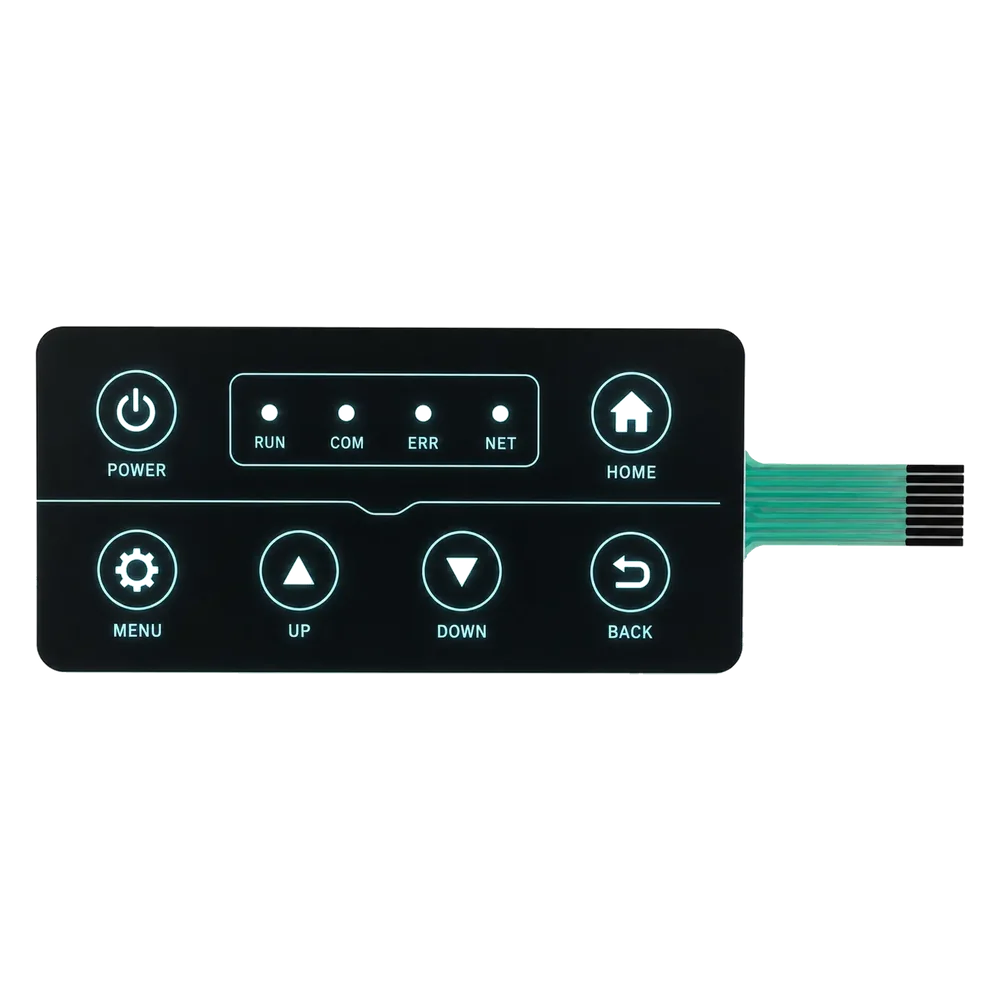
メンブレンスイッチのバックライトオプション
メンブレン スイッチのバックライト オプションには、LED インジケータ、ライト ガイド フィルム、EL パネル、デッドフロント アイコン、透明ウィンドウ、バックライト付き凡例またはキー ゾーンが含まれます。
適切なオプションは、何を照らす必要があるか、どれだけ明るくする必要があるか、スタックをどれだけ薄くしておく必要があるか、回路の配線方法、および光漏れをどの程度適切に制御できるかによって異なります。
簡単な答え: 必要な視覚的な役割に応じて照明を選択してください。
ポイント ステータス ライトには LED インジケータを使用し、アイコンやキー ゾーンに均一な照明が必要な場合はライト ガイド フィルムを、点灯するまでシンボルを隠しておく必要がある場合はデッド フロント グラフィックスを、ディスプレイや LED には透明または着色されたウィンドウを使用します。バックライトは印刷の不透明度、スペーサー設計、回路配線、スタックの厚さ、サンプルの外観に影響を与えるため、早めに検討する必要があります。
一般的なメンブレン スイッチ バックライト オプション
照明方法を選択する前に、実際の使用例とリスクを比較してください。最適な方法は、照明用語だけではなく、製品によって異なります。
| Option | Best use | Strength | Risk to control |
|---|---|---|---|
| LED indicator | Power, alarm, status, mode, and individual function lights | Clear status indication, controllable colors, common electronics integration | Point lighting can create hot spots or light leakage if masking and window design are weak |
| Light guide film (LGF) | More even lighting across icons, legends, or key zones | Spreads light from side LEDs across selected areas while keeping a thin stack | Needs LED position, light guide pattern, opacity, and uniformity review |
| EL panel | Thin area lighting where the project accepts EL power and life limits | Very thin area illumination for certain visual effects | Requires inverter/power review and is not the default solution for every OEM project |
| Dead-front graphics | Icons or symbols hidden until lit | Clean front appearance, hidden warnings, premium interface effects | Requires strict opacity, masking, LED alignment, and sample approval |
| Transparent or tinted windows | Display, LED, and indicator visibility | Allows display or LED light through selected areas | Needs window clarity, tint, dust control, scratch resistance, and alignment |
| Backlit legends or key zones | Low-light operation for labels, icons, and controls | Improves usability when operators must read the interface in dim environments | Needs contrast, power budget, printing opacity, and acceptable brightness target |
明るさ、均一性、厚み、コスト、光漏れ
バックライトは視覚的な機能ですが、メンブレン スイッチの設計に入るとすぐに、スタックアップと製造上の決定になります。
| Tradeoff | What buyers often want | What must be reviewed before sampling |
|---|---|---|
| Brightness | Readable icons or status lights in the real use environment | LED selection, current, window opacity, overlay color, viewing angle, power budget |
| Uniformity | No obvious hot spots, dark corners, or uneven legends | Light guide film, LED spacing, masking layers, printed diffusion, sample comparison |
| Thickness | A thin front panel without a bulky lighting stack | LED height, spacer layers, light guide film, dome clearance, enclosure depth |
| Cost | Useful lighting without overbuilding the interface | Number of LEDs, LGF requirement, tooling, printing layers, inspection scope |
| Light leakage | Only intended icons, windows, or legends light up | Opaque ink, masking, edge control, spacer gaps, LED position, dead-front control |
| Color and appearance | Lit and unlit states both look acceptable | Pantone/color target, window tint, LED color, dead-front ink density, surface finish |
Backlighting fails when it is added too late
A backlit membrane switch should be designed from the start as a lighting stack, not as a normal switch with LEDs added at the end.
- Light leakage around icons, windows, or key edges
- Hot spots caused by LED position or weak diffusion
- Uneven brightness across legends or key zones
- Color shift caused by overlay film, ink, window tint, or LED choice
- Stack thickness conflict with metal domes, spacer layers, or enclosure depth
- Circuit routing conflict between LEDs, matrix traces, tail, and connector
- Dead-front symbols visible when they should be hidden
- Dust, haze, scratches, or fingerprints visible in lit windows
RFQ note: Provide lit and unlit appearance targets. If only artwork is supplied, the supplier may not know whether the priority is point status indication, even legend lighting, a hidden dead-front effect, or display-window clarity.
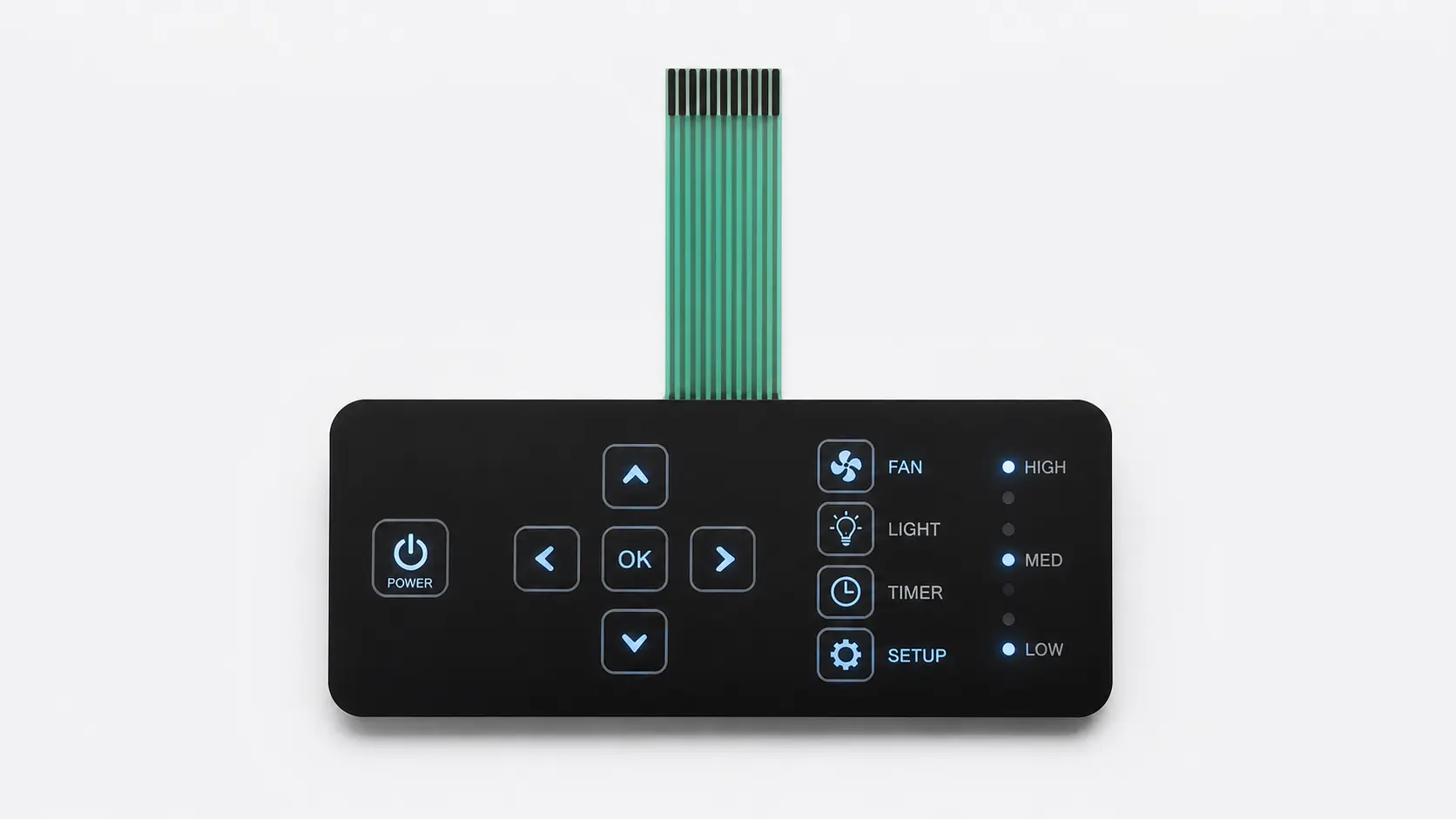
Which lighting approach fits the visual goal?
Start with the visual job. A single power indicator, a backlit logo, a dead-front warning icon, and a full keypad glow are different engineering problems.
| Visual goal | Likely approach | Notes for RFQ |
|---|---|---|
| Power, alarm, or mode status | LED indicator with clear or tinted window | Define LED color, window size, icon, viewing angle, and brightness expectation |
| Several icons need readable low-light operation | LEDs plus light guide film or controlled printed windows | Define which icons light together and whether uniformity matters more than brightness |
| Hidden icon appears only when active | Dead-front graphic with LED and opaque masking | Define lit/unlit appearance, ambient light condition, and acceptable ghost visibility |
| Display area must stay readable | Transparent or tinted display window | Define display type, viewing angle, window tint, anti-scratch or hard-coat needs |
| Whole keypad needs night visibility | LGF or multi-LED structure with printed diffusion and masking | Define power budget, thickness limit, color, hot-spot tolerance, and sample approval criteria |
| Outdoor or marine panel needs visibility | High contrast graphics plus selected LED/backlit areas | Define sunlight exposure, UV, moisture, sealing, and whether light is used at night only |
What JASPER reviews in a backlit switch project
Backlighting quality depends on artwork, printing, circuit, lamination, handling, and inspection. It is not only an LED selection issue.
Artwork and lit/unlit states
Icons, legends, warning symbols, and windows should be reviewed in both off and on states. Dead-front graphics need special opacity control.
Printing opacity and masking
Opaque layers help block unwanted light. Transparent, translucent, and tinted areas must be clearly defined in the artwork.
LED and circuit routing
LED positions, current paths, matrix traces, tail route, connector pitch, and test pads should not conflict with key function.
Spacer and stack thickness
Dome clearance, LED height, LGF thickness, adhesive layers, and enclosure depth affect both feel and assembly.
Window and surface quality
Display windows and LED windows need clean handling, scratch control, haze review, and dust prevention.
サンプルの承認 and inspection
Brightness, uniformity, leakage, color, icon visibility, continuity, and final cosmetic appearance should be checked on samples.
Continue lighting and interface planning
Related resources connect lighting choices with product type, graphic overlay printing, key feel, and connector design.
Membrane switch backlighting questions
Which backlighting method is most common?
LED indicators are common for power, alarm, status, and mode functions. Light guide film is used when more even illumination across icons, legends, or key zones is required.
Can backlighting be combined with metal domes?
Yes. Backlighting can be combined with metal domes, but dome clearance, spacer openings, LED position, circuit routing, and overlay support must be reviewed together.
Can dead-front graphics be used on membrane switches?
Yes. Dead-front icons can remain hidden until illuminated. The project needs opacity control, masking, LED alignment, and sample approval under the intended lighting conditions.
What causes light leakage in membrane switches?
Common causes include insufficient opaque ink, weak masking, LED position too close to an edge, spacer gaps, poor window definition, and late lighting changes after the stack is already designed.
Is light guide film always better than LED indicators?
No. LGF can improve uniformity across larger areas, but it adds design requirements. Simple status lights may be better handled by individual LEDs and clear or tinted windows.
Can a waterproof membrane switch be backlit?
Yes, but sealing, windows, tail exit, LEDs, adhesive, and enclosure design must be reviewed as one system. Lighting should not create a new water path or assembly conflict.
What should be checked in a backlit sample?
Check brightness, uniformity, color, icon readability, hot spots, light leakage, window haze, dust, viewing angle, tactile feel, connector routing, and appearance in the real use environment.
What should I send for a backlighting quotation?
Send artwork, lit/unlit appearance target, LED color, brightness expectation, power constraints, window areas, dead-front symbols, enclosure drawing, connector requirement, and expected operating environment.
Need help reviewing a backlit membrane switch stack?
Send your artwork, lit/unlit target, LED color, power limits, window areas, connector notes, and enclosure drawing. JASPER can review the lighting method before sampling.
Request a Lighting Review