
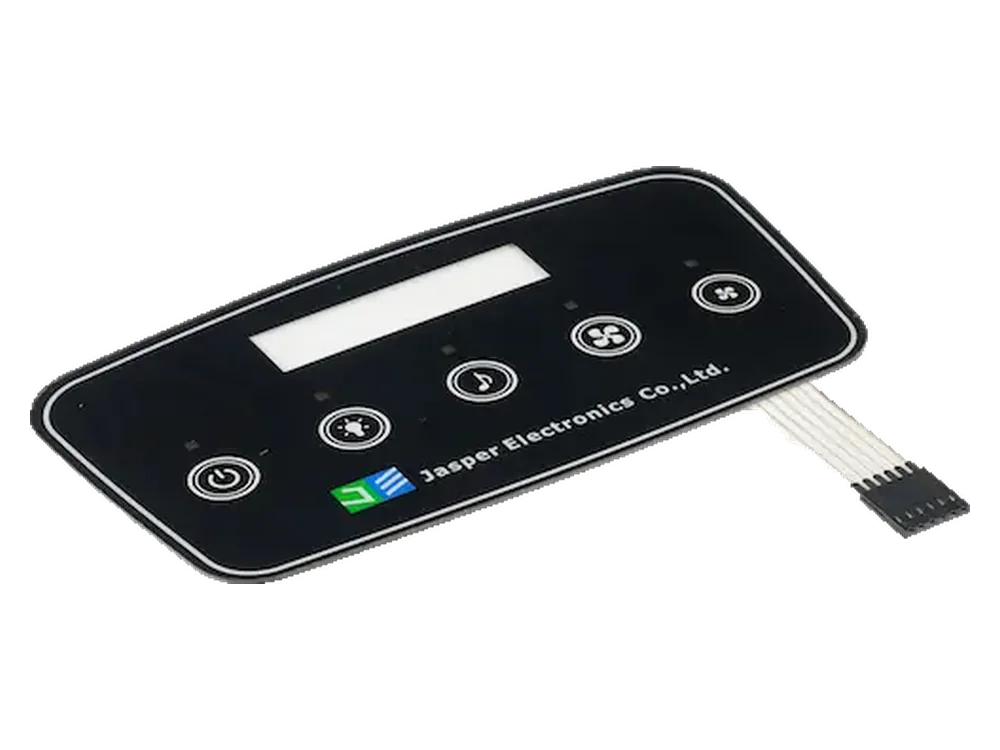
Leitfaden fuer kapazitive Touch-Schalter
A capacitive touch switch uses a sealed front overlay and sensor area to detect touch without a moving key.
It is useful for flat, cleanable interfaces, but sensitivity, overlay thickness, grounding, LEDs, moisture behavior, and electronics integration must be reviewed early.
Quick answer: capacitive touch is an electronics-and-overlay system.
Ein kapazitiver Touch-Schalter erkennt einen Finger durch ein unbewegliches Overlay, indem er eine Kapazitaetsaenderung in einer Touchzone misst. Die Oberflaeche kann abgedichtet und bedruckt sein, aber stabile Leistung haengt von Overlay-Material, Sensorflaeche, Erdung, Controller-Einstellungen, LED-Layout, Gehaeuse und Einsatzumgebung ab.
Key capacitive touch design factors
These factors decide whether a capacitive interface works reliably after it is installed in the product.
| Factor | Why it matters | What to define before sampling |
|---|---|---|
| Overlay thickness | Affects sensing distance and touch sensitivity | Material, total stack thickness, adhesive thickness, window areas |
| Overlay material | PET, PC, acrylic-like surfaces, and glass-like panels influence signal behavior | Film type, surface finish, hard coat, printing layers, cleaning exposure |
| Sensor pad size | Small pads may be hard to trigger; oversized pads may create false inputs | Touch-zone diameter, spacing, slider or grouped functions |
| Grounding and shielding | Helps reduce noise, false triggering, and unstable response | Ground plane, shield layer, PCB layout, enclosure material |
| Moisture behavior | Water films and wet fingers can change touch response | Use environment, outdoor exposure, cleaning routine, firmware strategy |
| LED position | Lighting can interfere with sensor layout if added late | LED color, location, dead-front icons, light leakage control |
| Electronics and firmware | Sensor IC and firmware must match the overlay and use case | Controller requirement, sensitivity tuning, debounce, EMC/noise review |
When capacitive touch works well — and when it needs caution
Capacitive touch is not a universal replacement for membrane switches. It works best when the product and electronics can support stable sensing.
| Situation | Capacitive touch fit | Reason to review |
|---|---|---|
| Sealed medical or cleanable devices | Often good | Flat surface supports wipe-down, but cleaning liquids and gloves must be reviewed |
| Modern appliance or access control panel | Often good | Printed icons, dead-front effects, and LEDs can create a clean front surface |
| Industrial interface with heavy gloves | Use caution | Thick gloves and noise can reduce touch confidence compared with tactile keys |
| Outdoor wet environment | Use caution | Moisture, grounding, UV, enclosure, and false-trigger control must be reviewed |
| Simple low-cost button panel | Depends | A basic membrane switch may be simpler if electronics do not support capacitive sensing |
| Display and LED interface | Often good | Capacitive zones can work with windows and indicators when layout is coordinated early |
Capacitive touch vs membrane switch
Use this comparison to decide whether touch sensing or mechanical contact closure fits the interface.
| Decision point | Capacitive touch switch | Membrane switch |
|---|---|---|
| User feel | No travel; relies on visual, LED, audio, or system feedback | Can be tactile, non-tactile, metal dome, waterproof, or backlit |
| Surface | Flat sealed front surface | Can be flat or embossed, depending on structure |
| Electronics | Requires capacitive sensing electronics and tuning | Closes a circuit through contacts, tail, and connector |
| Glove use | Must be tested with real glove thickness and environment | Tactile versions can help operators confirm input |
| Moisture | Needs false-trigger and wet-surface review | Needs sealing review, but actuation principle is different |
| Best early file | Panel stack-up, sensor layout, electronics constraints | Artwork, circuit, pinout, connector, enclosure, key feel target |
Capacitive touch should be reviewed before artwork is locked.
The graphic overlay, sensor area, LEDs, connector, grounding, and electronics cannot be designed independently. A visually attractive panel can still perform poorly if the sensing stack is not reviewed.
- Define overlay material and total stack thickness before sensor layout is finalized.
- Keep touch-zone size and spacing practical for the operator and the product environment.
- Review grounding and shielding early, especially near displays, motors, metal housings, or noisy electronics.
- Check LED indicators, dead-front icons, and window areas against sensor pad locations.
- Test with realistic fingers, gloves, wet conditions, and enclosure assembly instead of only a loose bench sample.
- Consider fallback feedback such as LEDs, beeps, display response, or haptic/mechanical cues where users need confidence.
RFQ note: Send panel dimensions, overlay material, touch-zone layout, LED/window needs, enclosure material, controller or PCB constraints, operating environment, and whether gloves or moisture are expected.
Common capacitive touch design risks
These risks should be discussed before tooling, not after the first sample fails sensitivity testing.
False triggering
Moisture, electrical noise, poor grounding, or overly sensitive settings can create unintended inputs.
Weak touch response
Thick overlays, small sensor pads, poor pad spacing, or unsuitable materials can make touch unreliable.
Lighting conflict
LEDs, dead-front icons, and display windows can compete with sensor layout when added late.
Glove uncertainty
Some glove conditions can work, but glove material and thickness should be tested instead of assumed.
Enclosure influence
Metal housings, curved surfaces, adhesives, and nearby electronics can change sensitivity.
Unclear feedback
A no-travel interface needs visual, LED, display, sound, or system response so users know the touch was accepted.
Related engineering resources
Capacitive touch switch questions
Can capacitive touch work through a graphic overlay?
Yes. The overlay material, ink layers, adhesive, and total thickness must be matched to the sensor design and tested in the final stack.
Can capacitive switches be used outdoors?
They can be, but moisture, UV exposure, grounding, false-trigger control, and enclosure sealing must be reviewed carefully.
Can JASPER supply only the overlay?
Yes. JASPER can supply overlays, touch switch assemblies, or interface components depending on project scope and electronics responsibility.
Does capacitive touch work with gloves?
Sometimes. Glove material, thickness, moisture, and controller settings all matter, so glove operation should be tested with realistic samples.
Can capacitive touch include LEDs or dead-front icons?
Yes. LED indicators, backlit symbols, and dead-front icons can be integrated when sensor layout, opacity, and circuit routing are reviewed together.
Is capacitive touch waterproof?
The flat surface can support sealing, but waterproof performance still depends on adhesive, edge design, tail or connector path, enclosure, and test target.
What causes false triggering?
Electrical noise, moisture films, weak grounding, poor shielding, overly sensitive settings, or nearby conductive objects can cause false triggering.
What should I send for review?
Send the overlay stack, touch layout, electronics constraints, enclosure drawing, LED/window requirements, and the real use environment.
Need help deciding if capacitive touch fits your interface?
Send your panel stack-up, sensor layout, electronics constraints, and operating environment so JASPER can review whether capacitive touch is technically suitable before quotation.
Technische Pruefung anfordern